
Guides · 7 min read
Proxmox server as a VMware alternative: hardware, migration
What Proxmox VE can do, how it differs from VMware, what hardware a Proxmox server needs and how to move your VMs across.
Stock items leave our warehouse in Germany within 24 hours
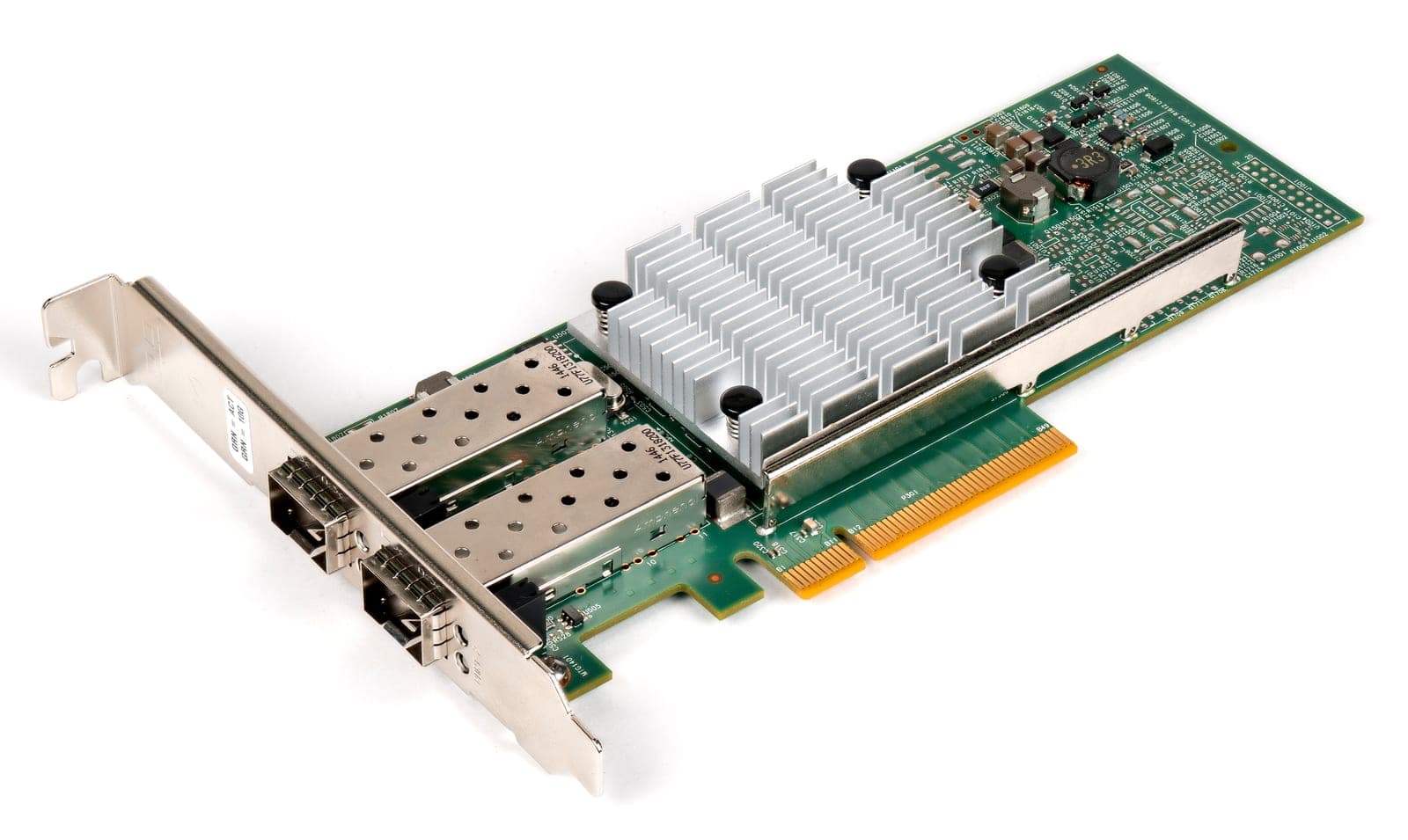
Network cards for servers bring 10, 25, 40 or 100 Gbit/s per port to your system for fast access to NAS and SAN, live migration, Ceph clusters or backup networks. The range includes PCIe cards from Intel (X520, X540, X710, E810) and Mellanox/NVIDIA ConnectX-4 to ConnectX-6, plus vendor-specific form factors such as Dell rNDC, HPE FlexibleLOM and OCP 3.0. Before buying, check the connector: SFP+ (10G) and SFP28 (25G) need transceivers or DAC cables, while RJ45 cards (10GBASE-T) work with Cat6a copper cabling. At 100 Gbit/s the PCIe link matters; PCIe 3.0 x16 is enough for one fully loaded port. Some cards only accept approved transceivers, as noted in the product description. Drivers are included in Linux, Proxmox, TrueNAS, VMware ESXi and Windows Server. All cards are tested and come with 12 to 36 months warranty.
No products found
Adjust the filters or ask us directly. We can source most hardware within a few days.
A 10GbE network card is the sensible starting point for most servers: it gives ten times the throughput of gigabit, and used cards are widely available. Whether you go for 10, 25 or 40 Gbit/s depends on your switch, cabling and workload – backup, live migration and links to storage servers gain the most. Below you'll find the port types, the cabling question and the cards in our range.
DAC cables (direct attach copper) are copper cables with fixed connectors, typically 1 to 5 m long. They're the cheapest link within a rack or to the next one, use hardly any power and have the lowest latency. Active optical cables (AOC) cover longer runs, also with fixed ends.
Transceivers with fibre make sense beyond a few metres or between rooms. SR modules for multimode fibre reach about 300 m (OM3) or 400 m (OM4) at 10 Gbit/s, and about 70 or 100 m at 25 Gbit/s. LR modules for single-mode fibre manage 10 km. Either way, watch the coding: some cards only recognise approved modules and cables.
Answers to the questions we hear most often before a first order.
Question not listed?
Tip from the workshop
| Card | Ports | PCIe | Strengths |
|---|---|---|---|
| Intel X520-DA2 | 2× SFP+ 10G | 2.0 x8 | proven classic for firewalls and homelabs |
| Intel X710-DA2 | 2× SFP+ 10G | 3.0 x8 | lower power than the X520, SR-IOV, DPDK, broad driver support |
| Broadcom P210tp | 2× RJ45 10G | 3.0 x8 | no transceivers, for existing copper cabling |
| Mellanox ConnectX-4 Lx | 2× SFP28 25G | 3.0 x8 | RoCE v2, drivers for ESXi 7 and 8 |
| Intel E810-XXVDA2 | 2× SFP28 25G | 4.0 x8 | RDMA via iWARP and RoCE v2, new |
| Mellanox ConnectX-3 Pro | 2× QSFP+ 40G | 3.0 x8 | plenty of bandwidth for Linux clusters |
A 25GbE card with SFP28 also runs on a 10G switch, which makes it the future-proof choice if a switch upgrade is on the horizon. The difference is noticeable: live-migrating a VM with 64 GB of RAM takes about a minute over 10 Gbit/s on paper, and around 25 seconds over 25 Gbit/s. Ceph clusters with NVMe drives typically use 25 Gbit/s or more.
The Mellanox ConnectX-3 is the cheapest route to 40 Gbit/s, for example as a direct link between two Proxmox nodes over a QSFP+ DAC with no switch. Two caveats: PCIe 3.0 x8 provides about 63 Gbit/s, so both ports together can't reach 80 Gbit/s. And VMware ESXi has no driver for the card from version 7.0 onwards – if that's your platform, choose the ConnectX-4 Lx. More on moving to Proxmox in our guide Proxmox instead of VMware.
SFP+ with DAC cables has lower latency and power draw and is the norm inside a rack. 10GBASE-T uses existing copper cabling (Cat6a up to 100 m) but draws more power per port.
Mellanox/NVIDIA cards generally accept third-party transceivers. Intel cards such as the X520 only allow approved modules by default; on Linux the check can be disabled with a driver parameter. We can supply matching transceivers and DAC cables on request.
No, these form factors are vendor-specific and only fit the intended server models. PCIe cards with a full-height or low-profile bracket, by contrast, work in any server.
Guides · 7 min read
What Proxmox VE can do, how it differs from VMware, what hardware a Proxmox server needs and how to move your VMs across.