Tesla T4 cooling: running a passive server GPU at home
The Tesla T4 has no fan. How to cool, monitor and use the 70 W card reliably in a rack server, a tower or your homelab for transcoding or AI.
- Published
- Reading time
- 8 min
- Topic
- AI & homelab
Contents11 sections
- What the Tesla T4 is
- Why passive cards need directed airflow
- The T4 in a rack server
- iDRAC, iLO and fan control
- The T4 in a tower or desktop
- Monitoring temperature with nvidia-smi
- BIOS, drivers and Proxmox
- Uses: Plex, Jellyfin and local language models
- T4, Quadro P2000 or T1000 in a homelab?
- Checklist before installation
- Frequently asked questions
Key points
- The Tesla T4 is a Turing card with 16 GB of GDDR6, 70 W, a single-slot low-profile design and no fan of its own. It draws all its power from the slot.
- Its heatsink needs directed airflow of the kind a rack server produces from front to back. An open case is not enough.
- In a tower or desktop, a fan shroud with a blower or 40 mm fan pushes air straight through the fins.
- Use nvidia-smi to check temperature, power, clocks and throttle reasons. If the card stays well below 80 °C under sustained load, cooling is adequate.
- Typical uses are transcoding for Plex and Jellyfin and small language models. vGPU requires NVIDIA licences.
The NVIDIA Tesla T4 fits almost any server, needs no power cable and brings 16 GB of video memory, which makes it popular for homelabs and small offices. It also has no fan. This guide shows how to cool it safely in a server or a tower and how to check that the cooling is adequate.
What the Tesla T4 is
The T4 is based on the Turing architecture, the same generation as the Quadro RTX 4000. NVIDIA built it for inference and video in the data centre: many cards per server, low power, no display output.
- Memory: 16 GB of GDDR6 at around 320 GB/s.
- Power: 70 W, drawn entirely from the PCIe slot. There is no auxiliary power connector.
- Form factor: PCIe 3.0 x16, single slot, low profile, half length. Full-height slots need the matching bracket.
- Cooling and outputs: passive heatsink with no fan, no monitor connections.
- Video and AI: Turing NVENC and NVDEC for H.264 and HEVC, plus tensor cores for FP16 and INT8.
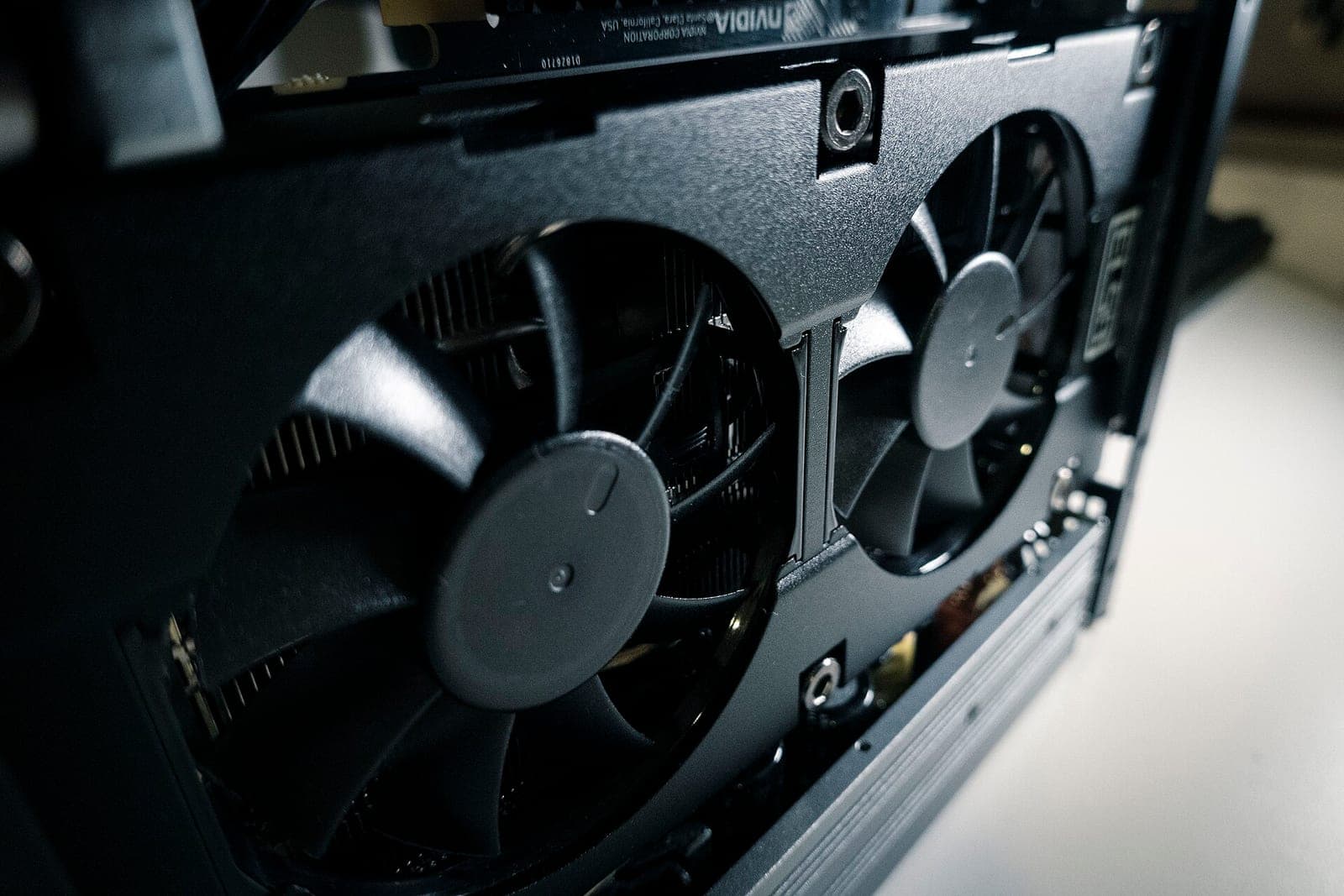
We stock the card as the NVIDIA Tesla T4 16 GB. You'll find other models among our used server GPUs.
Why passive cards need directed airflow
A passive heatsink only sheds heat when air is forced through its fins. In a server, the fans behind the drive bays push cool air from front to back, and the card's fins line up with that flow. Case fans in an ordinary PC barely move air through a tight heatsink, so the T4 gets very warm even at idle and soon lowers its clocks under load.
The T4 in a rack server
The T4 is easiest to run in a 1U or 2U server with front-to-back airflow, such as 14th-generation Dell PowerEdge servers like the R640 and R740, HPE ProLiant Gen10 models like the DL360 and DL380, or comparable Lenovo and Supermicro systems. Older generations usually work too, provided a suitable slot is free.
- Slot: choose an x16 slot in the main airflow. Positions directly behind the power supplies often get less air.
- Air ducting: leave the server's air shrouds in place, otherwise air bypasses the card.
- Blanking panels: empty drive bays and slots should be closed so the fans can build up pressure.
iDRAC, iLO and fan control
The management controller can't accurately assess a card it doesn't know, so Dell iDRAC and HPE iLO often raise the base fan speed for unknown PCIe cards. The server gets louder, but the card stays cool. Our guide to iDRAC, iLO and IPMI covers the controllers in more detail.
With a passive GPU, that is exactly what you want. Online guides often show how to switch the extra cooling off. For the T4 that is a bad idea: it has no other way of getting rid of heat.
- Dell iDRAC: depending on generation and firmware, you can adjust the fan profile and, on newer versions, the airflow per PCIe slot. If the T4 is validated for your model, iDRAC usually picks a suitable profile itself.
- HPE iLO: the system settings offer cooling levels such as optimal, increased or maximum. If temperatures run high, the increased level helps.
- Supermicro: the IPMI interface offers fan modes, including one with more air for the expansion card area.
The T4 in a tower or desktop
Outside a server, you need your own airflow solution:
- Fan shroud with a blower: the shroud sits on the far end of the card and a blower fan pushes air through the fins at high pressure. This is usually the most effective option.
- Fan shroud with a 40 mm fan: more compact, but often loud at the speed needed. Choose a fan with high static pressure.
- Case fan right in front of the card: an 80 or 92 mm fan at close range can be enough at low load. Always verify this with nvidia-smi.
Shrouds are available as 3D printing files or ready-printed. They should sit tight against the heatsink, and PETG or ASA cope with the heat better than PLA. Run the fan from a motherboard header at a fixed, sufficient speed: the board doesn't know the GPU temperature and would otherwise follow the CPU.
Monitoring temperature with nvidia-smi
Only a measurement under load shows whether cooling is sufficient. Let the card work for at least 20 to 30 minutes, for example with several transcoding streams or a language model.
- nvidia-smi dmon -s pc: continuous readout of power, temperature and clocks, good for long tests.
- nvidia-smi -q -d TEMPERATURE: current temperature and your card's limits for throttling and shutdown.
- nvidia-smi -q -d PERFORMANCE: shows whether and why clocks are being reduced. An entry for thermal slowdown means cooling is not sufficient.
As a rule of thumb, if the T4 stays well below 80 °C under sustained load, cooling is fine; if it approaches the limits shown, improve the airflow. Clocks dropping under steady load while power stays below 70 W usually point to heat.
BIOS, drivers and Proxmox
Above 4G decoding: the T4 requests only a small memory window, so it usually works without this BIOS option. It matters for cards with a large address window such as the Tesla P40. If the system won't boot with the T4 or the driver doesn't detect it, try enabling the option.
Drivers: on Linux, the usual NVIDIA driver packages support the T4, and for Turing and newer NVIDIA now recommends the open kernel modules. On Windows, install NVIDIA's data centre driver. With no display outputs, you work via remote desktop, SSH or the server console.
Proxmox: the T4 can be passed through to a VM or shared with LXC containers through the host driver. Both routes are covered in GPU passthrough in Proxmox. Only NVIDIA vGPU lets one card serve several VMs at once. The T4 supports it, but it requires special drivers and paid licences.
Uses: Plex, Jellyfin and local language models
Transcoding: the Turing encoder delivers good picture quality even at low bitrates, and the GeForce driver's session limit does not apply to the T4. For Plex, Jellyfin and Emby it handles many simultaneous streams. Our guide to the best GPU for Plex and Jellyfin compares it with other cards.
Language models: 16 GB is enough for 7 to 8 billion parameter models at 4 bits with generous context; 13 to 14 billion parameters fit, but only just. How much memory each model needs is covered in AI servers for local LLMs.
T4, Quadro P2000 or T1000 in a homelab?
Without a server that provides suitable airflow, an actively cooled card is often the simpler choice:
| Feature | Tesla T4 | Quadro P2000 | T1000 |
|---|---|---|---|
| Generation | Turing | Pascal | Turing (TU117) |
| Memory | 16 GB GDDR6 | 5 GB GDDR5 | 4 or 8 GB GDDR6 |
| Power | 70 W | 75 W | 50 W |
| Form factor | low profile, single slot | full height, single slot | low profile, single slot |
| Cooling | passive | fan | fan |
| Display outputs | none | 4× DisplayPort | 4× Mini DisplayPort |
| Tensor cores | yes | no | no |
For pure transcoding in a tower, the P2000 and T1000 are simpler. The T4 pays off if you need the memory for AI or have a server with good airflow.
Checklist before installation
- x16 slot with the right bracket height free?
- Slot in the server's airflow, or a fan shroud planned?
- Air shrouds and blanking panels in place in the server?
- Fan control in iDRAC, iLO or IPMI not set to minimum?
- Access without a monitor, such as SSH, remote desktop or the server console?
- Load test of at least 20 minutes with nvidia-smi before continuous use?
Every card is checked and tested before it ships, and we dispatch from Germany.
Frequently asked questions
Short answers to the questions we hear most often on this topic.
Can I run a Tesla T4 without a fan?
Only in a server with directed front-to-back airflow. In an ordinary PC case, the T4 needs a fan shroud or a fan that pushes air straight through the heatsink. Without this cooling it gets too hot even at light load.
What temperature is too high for a Tesla T4?
nvidia-smi -q -d TEMPERATURE shows the exact limits. As a rule of thumb, the card should stay well below 80 °C under sustained load. If nvidia-smi reports thermal slowdown, the cooling is not sufficient.
Does the Tesla T4 need a power cable?
No. The T4 draws at most 70 W and takes all of it from the PCIe slot.
Why do the server fans get louder after installing the T4?
The management controller detects an additional PCIe card and raises fan speed as a precaution. With a passive GPU, that makes sense. Only lower the speed step by step and check the card's temperature as you go.
Matching products
From our warehouse in Germany, tested and under warranty.
- Used12 mo. warranty
NVIDIA, Server GPUs & AI Accelerators
NVIDIA Tesla T4 16 GB
Part no.900-2G183-0000-001- 16 GB GDDR6 at just 70 W
- Low profile, no auxiliary power cable
On request
€649.00
incl. 19% VAT, net €545.38
Keep reading

Building an AI server: GPUs for local LLMs compared
How much GPU memory a language model needs, which data-centre GPU suits which budget and what matters for cooling, power and software.
Read moreBest GPU for Plex & Jellyfin: Quadro P2000, P4000 or T1000?
Which used NVIDIA card transcodes smoothly for Plex, Jellyfin and Emby, how the encoder generations differ and how to hand the card to Proxmox or Docker.
Read more
Proxmox GPU passthrough: pass a graphics card to a VM
How to hand a graphics card exclusively to a VM in Proxmox VE, when a container with device access is enough, and what to watch for in rack servers.
Read more