AI servers for local LLMs: Tesla P40, V100, L4 or A100?
How much GPU memory a language model needs, which data-centre GPU suits which budget and what matters for cooling, power and software.
- Published
- Updated
- Reading time
- 8 min
- Topic
- AI & homelab

Contents10 sections
- Why VRAM is the limit in an AI server
- How much VRAM does an LLM need?
- GPUs compared: from Tesla P40 to A100
- Cooling, power connectors and PSU
- PCIe slots, risers and multiple GPUs
- Software for your LLM server: Ollama, llama.cpp and vLLM
- Choosing the right GPU server
- Power and cooling in continuous operation
- Data protection: why run an LLM server locally?
- Frequently asked questions
Key points
- VRAM decides: a 4-bit model needs roughly 0.5–0.7 GB per billion parameters plus headroom for context – so a 70B model needs 45–55 GB.
- Bandwidth sets the pace: how quickly text appears depends mainly on how fast the GPU reads its own memory.
- Passive data-centre GPUs such as the P40, T4, L4, A40 and A100 rely on server airflow, and the large cards also need 8-pin EPS power.
- In the long run, driver and CUDA support favour Turing, Ampere and Ada over Pascal and Volta.
An AI server for local language models is essentially an ordinary server with one or more GPUs. Three things decide whether it works: how much graphics memory (VRAM) the cards have, how fast that memory is, and whether chassis, PSUs and fans can sustain the cards around the clock.
Why VRAM is the limit in an AI server
For every token, the GPU reads all model weights from memory once, so generation speed hinges on memory bandwidth: bandwidth divided by model size gives the ceiling. A 20 GB 4-bit model manages at most around 17 tokens per second on a Tesla P40 (346 GB/s) and about 38 on an RTX A6000 (768 GB/s).
If the model does not fit into VRAM, Ollama and llama.cpp offload layers to system memory – and speed collapses. Tensor cores and compute matter mainly for long prompts and many simultaneous users.
How much VRAM does an LLM need?
For quantised models a simple rule of thumb works: at 4 bits the weights take roughly 0.5–0.7 GB per billion parameters, plus the KV cache for the context – the model's memory of the conversation – and about 0.5–1 GB for the runtime. 8-bit needs about twice as much, FP16 four times.
| Model size | Weights at 4-bit | With context (guide value) | Fits e.g. on |
|---|---|---|---|
| 7–8B | 3.5–5.5 GB | 6–8 GB | T4, L4, V100 16 GB |
| 13–14B | 6.5–10 GB | 10–13 GB | T4 and V100 (tight), L4, P40 |
| 30–34B | 16–24 GB | 20–28 GB | P40 or L4 with short context, A40, RTX A6000 |
| 70B | 35–49 GB | 42–55 GB | A40 or RTX A6000 (tight), 2 × 48 GB, A100 80 GB |
GPUs compared: from Tesla P40 to A100
Cards from our server GPU range (FHFL = full height, full length; LP = low profile):
| GPU | Architecture | VRAM and bandwidth | TDP | Form factor and power |
|---|---|---|---|---|
| Tesla P40 | Pascal | 24 GB GDDR5, 346 GB/s | 250 W | FHFL, passive, 8-pin EPS |
| Tesla T4 | Turing | 16 GB GDDR6, 320 GB/s | 70 W | LP, passive, no extra power |
| Tesla V100 16 GB PCIe | Volta | 16 GB HBM2, 900 GB/s | 250 W | FHFL, passive, 8-pin EPS |
| NVIDIA L4 | Ada Lovelace | 24 GB GDDR6, 300 GB/s | 72 W | LP, passive, no extra power |
| RTX A6000 | Ampere | 48 GB GDDR6 ECC, 768 GB/s | 300 W | FHFL, blower fan, 8-pin EPS |
| A40 | Ampere | 48 GB GDDR6 ECC, 696 GB/s | 300 W | FHFL, passive, 8-pin EPS |
| A100 PCIe | Ampere | 40 GB HBM2 (1,555 GB/s) or 80 GB HBM2e (1,935 GB/s) | 250 / 300 W | FHFL, passive, 8-pin EPS |
The Tesla P40 is the cheapest route to 24 GB but lacks tensor cores and FP16 speed; llama.cpp still copes well. The Tesla T4 and NVIDIA L4 need no power cable, the L4 adding 24 GB and FP8. The quick Tesla V100 suits 7–14B models. The A40 and RTX A6000 offer 48 GB, while the NVIDIA A100 with MIG shines with many users and for fine-tuning.
Cooling, power connectors and PSU
Passive cards need server airflow
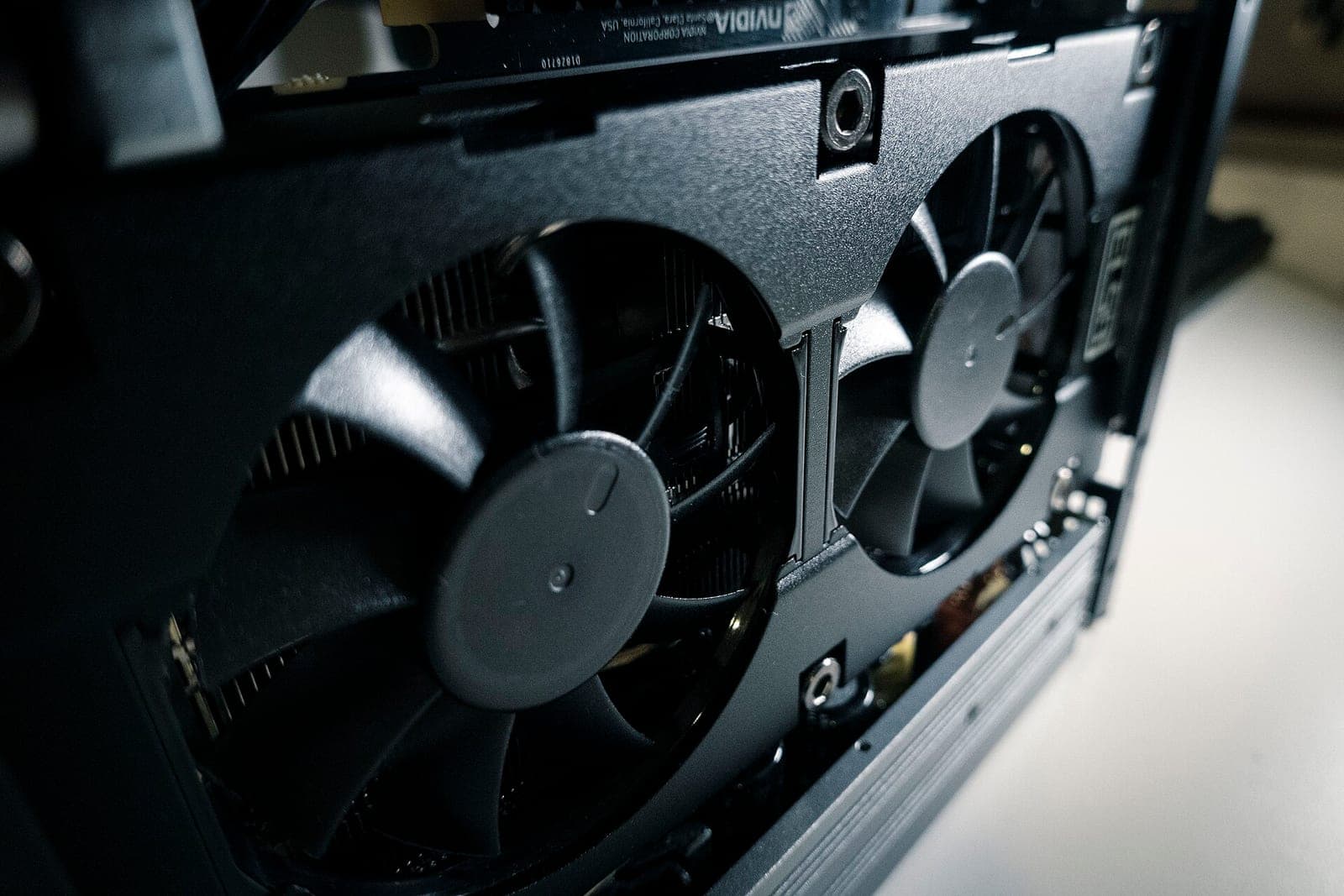
The P40, T4, V100, L4, A40 and A100 have no fans; chassis fans must push air through their heatsinks. Without directed airflow, as in a desktop tower, they overheat and throttle – even the small T4. Only the RTX A6000 has its own blower.
Power: EPS, not PCIe
The large data-centre cards draw power through an 8-pin EPS connector, as CPUs do – not the 8-pin PCIe plug of gaming cards. The T4 and L4 manage on the slot's 75 W.
Sizing the power supply
Add up the TDP of all GPUs and CPUs, allow 150–250 W for memory, drives and fans, and add 20–30 % headroom. Example Dell R740 with 2× Tesla V100: 2 × 250 W + 2 × 125 W + 200 W = 950 W, a good 1,200 W with headroom. With redundant PSUs, each unit must carry that load alone.
PCIe slots, risers and multiple GPUs
Each GPU should sit in a 16-lane slot; for inference with few users, 8 lanes suffice because the model loads only once. Double-width cards need the right GPU riser and often a kit of cables and air shrouds. A 2U server such as the Dell R740 takes up to three, dedicated GPU servers up to eight.
Splitting layers or tensor parallelism
Ollama and llama.cpp spread a model's layers across several cards: VRAM adds up, speed barely does, because the cards work one after another. vLLM uses tensor parallelism to split each layer across 2, 4 or 8 identical cards that compute simultaneously. Only the A100, A40 and RTX A6000 offer NVLink here, via bridges for two cards; the P40, T4, L4 and V100 PCIe rely on PCIe.
Software for your LLM server: Ollama, llama.cpp and vLLM
Ollama is the easiest route to your own Ollama server: it downloads models and serves them via an HTTP API, built on the llama.cpp libraries. llama.cpp offers more control over quantisation, context and the GPU/CPU split, and runs on the P40. vLLM targets many concurrent requests, reserves most VRAM by default and needs tensor-core GPUs; check its documentation for supported architectures.
Under Proxmox VE, the AI server can run as a VM with the GPU passed through via PCIe; see our guide Proxmox instead of VMware. Plan at least as much system memory as the model files take up.
Drivers and CUDA: mind the architecture
Choosing the right GPU server
Build an AI server yourself or buy one ready-made – either way, model size, user count and location decide. Three typical tiers:
Entry level
2U server with 1–2 low-profile cards
- T4 or L4 at around 70 W, no extra cable
- fits many existing servers
- 16–48 GB VRAM in total
- large models run slowly
Best for: Ideal for 7–14B models, testing and small teams.
Mid range
2U server with two large cards
- 32–96 GB VRAM with tensor cores
- 70B models on two 48 GB cards
- 250–300 W per card
- loud under load, belongs in a rack
Best for: Ideal for departments and document search (RAG).
High end
GPU server with 4–8 cards
- up to 8 × 80 GB VRAM with A100
- tensor parallelism and fine-tuning
- several kilowatts under load
- needs its own circuit and cooling
Best for: Ideal for many concurrent users and large models.
For the high end we stock the Supermicro SYS-4029GP-TRT for eight double-width cards in 4U and the Gigabyte G292-Z20 with eight cards in 2U, AMD EPYC and PCIe 4.0. See all systems under GPU servers; to start out, an existing 2U server with a Tesla T4 or L4 often suffices.
Power and cooling in continuous operation
Every watt the GPUs draw becomes heat. A two-card server idles at 150–250 W and draws 800 W or more under load. At an assumed 30 cents per kWh, 200 W around the clock means 200 W × 8,760 h = 1,752 kWh, about €526 a year. An eight-GPU server at 3 kW nearly maxes out a standard 16 A circuit (3.7 kW) and needs an air-conditioned rack with its own fusing.
GPU servers are loud under load. Our homelab server guide covers quieter options for a study, and the 19-inch rack guide explains mounting and power distribution.
Data protection: why run an LLM server locally?
The main reason for an in-house LLM server is control over data: contracts, customer records or source code stay inside your network, and no external AI provider processes them. That simplifies the GDPR assessment but does not replace a review by your data protection officer. With open models, check the licence before commercial use.
Frequently asked questions
Short answers to the questions we hear most often on this topic.
How much VRAM does a 70B model need?
At 4 bits the weights take roughly 35–49 GB; with context, plan for 45–55 GB – just enough for a 48 GB A40 or RTX A6000, and comfortable on two of them or an 80 GB A100.
Is the Tesla P40 still worth it for LLMs?
For getting started with llama.cpp or Ollama, yes – there is hardly a cheaper route to 24 GB of VRAM. But it lacks tensor cores and new major CUDA releases no longer support it. For vLLM and long-term projects, the L4, A40 or A100 fit better.
Can an Ollama server run without a GPU?
Yes, Ollama also runs on the CPU alone, and speed then depends on memory bandwidth. Small models run acceptably on a server with six or eight memory channels; a 70B model manages only a few tokens per second.
What is the difference between the NVIDIA L4 and the Tesla T4?
Both are low-profile cards at around 70 W without auxiliary power. The L4 uses the newer Ada architecture, has 24 GB instead of 16 GB and supports FP8 and PCIe 4.0. The T4 is cheaper and handles models up to about 14B.
Keep reading
Homelab server: a quiet, efficient server for home
MicroServer, tower or rack? How to find a used server that is quiet enough for a study, light on power and still has room for VMs and drives.
Read more
Buying used servers: what really matters
Generation, form factor, CPU, memory, controller, remote management and warranty: the points that decide whether a used server fits your workload.
Read more
RAID 10, RAID 5 or RAID 6? RAID levels compared
From RAID 0 to RAID 60: what each level gives you in capacity, safety and write speed, why large hard drives need RAID 6 and when an HBA is the better fit.
Read more