Homelab server: a quiet, efficient server for home
MicroServer, tower or rack? How to find a used server that is quiet enough for a study, light on power and still has room for VMs and drives.
- Published
- Updated
- Reading time
- 8 min
- Topic
- AI & homelab
Contents10 sections
- What a homelab server is good for
- Homelab hardware: MicroServer, tower or rack?
- Noise: making a home server quieter
- Power consumption: idle is what counts
- Storage: an HBA in IT mode for TrueNAS and ZFS
- Networking: 10 GbE in the homelab
- Starter configurations: small, medium, large
- Software: Proxmox VE, TrueNAS and Docker
- Rack or no rack?
- Frequently asked questions
Key points
- Form factor first: tower servers and the HPE MicroServer Gen10 Plus are quiet enough for living spaces, 1U servers are not.
- Idle power matters: at an assumed 30 cents per kWh, every watt of continuous load costs about €2.60 a year. One CPU, few DIMMs and SSDs save the most.
- For ZFS and TrueNAS the server needs an HBA in IT mode, not a RAID controller.
- Proxmox VE, TrueNAS and Docker cover most homelabs.
A homelab is a small data centre at home: for learning, experimenting and running services you would rather host yourself than in the cloud. Used enterprise hardware brings ECC memory, remote management and plenty of drive bays at a fraction of the original price. To keep a home server from becoming a nuisance, mind form factor, noise and power draw.
What a homelab server is good for
- Learning: try out Linux, networking, Active Directory or Kubernetes without putting production systems at risk.
- Virtualisation: Proxmox VE runs many VMs and containers on a single host.
- NAS and backup: a ZFS pool under TrueNAS keeps photos, documents and the backups of every device.
- Self-hosting: file sync, a password manager, a DNS ad blocker or your own VPN access.
- Home automation and media: Home Assistant, camera recording or a media server.
Homelab hardware: MicroServer, tower or rack?
Form factor decides everyday usability more than any CPU. The HPE MicroServer Gen10 Plus is very compact, with four 3.5-inch bays, one PCIe slot and an external 180 W power supply. Tower servers such as the Dell T440, HPE ML350 Gen10 or Dell T630 offer eight bays, two CPU sockets and several full-size PCIe slots. The T630 is a generation older (Xeon E5 v3/v4) and idles a little higher, but has 24 DIMM slots. Rack servers are cheapest but built for ventilated cabinets.
Mini PC
Small-form-factor office PC
- 5–15 W at idle, almost silent
- small and cheap
- usually no ECC and no remote management
- 1–2 drives, hardly expandable
Best for: Ideal for Docker, Home Assistant and getting started.
Tower server
MicroServer Gen10 Plus, T440, ML350 Gen10, T630
- quiet thanks to large fans
- ECC, many bays, room for an HBA and 10 GbE
- dual-socket models idle at 70–130 W
- big and heavy
Best for: Ideal for Proxmox and a NAS in the study.
Rack server
1U and 2U, e.g. Dell R640 or R740
- wide choice, low prices
- many DIMM slots and bays
- 1U very loud, 2U clearly audible
- needs a rack or a sturdy shelf
Best for: Ideal for a cellar, utility room or ventilated rack.
Noise: making a home server quieter
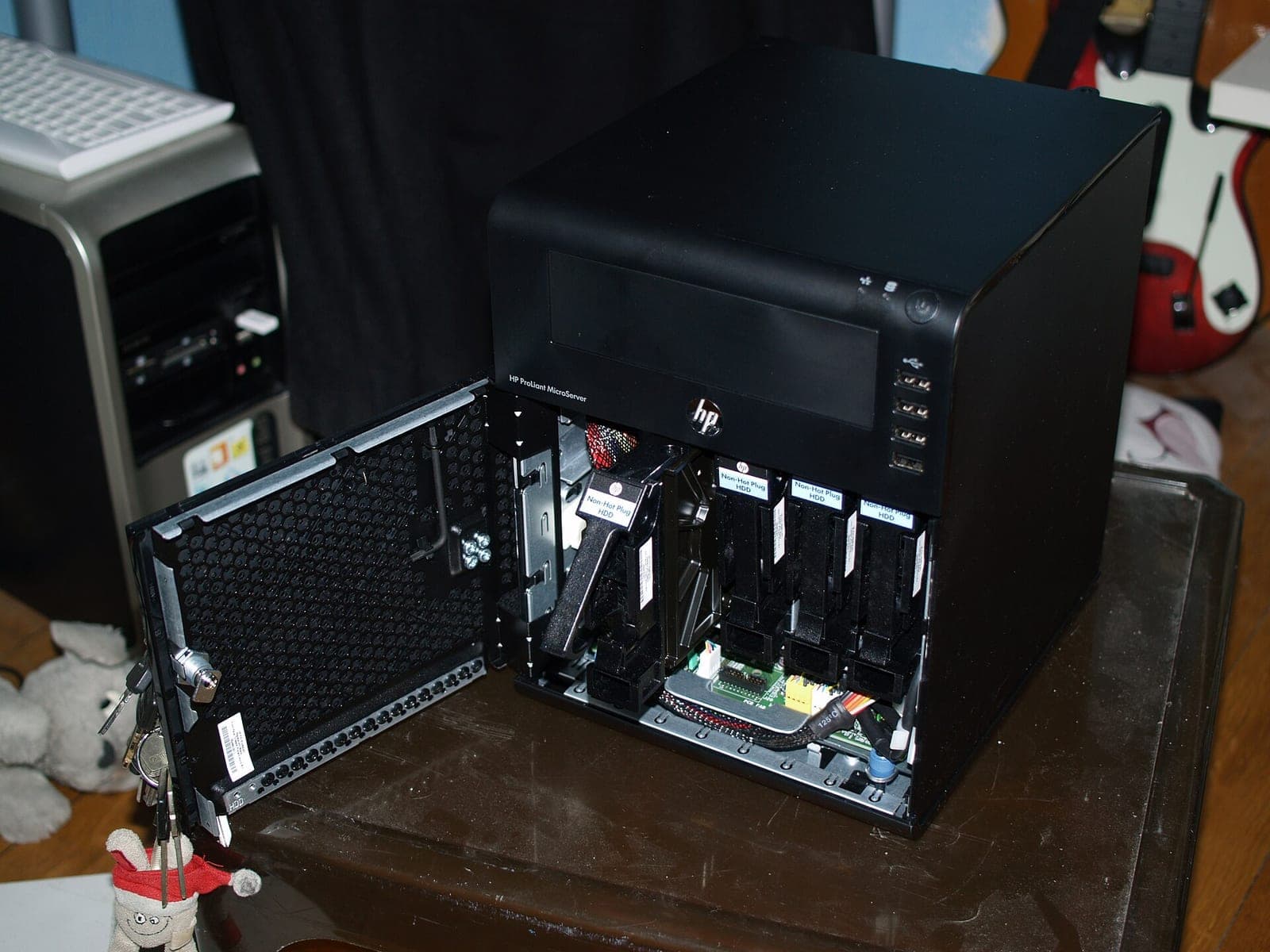
1U servers cool with small 40 mm fans at high speed and are clearly audible even at idle. 2U servers use larger fans and are quieter; towers are the quietest. Every server spins its fans to maximum briefly at power-on – that is normal.
- Cooling profile: the BIOS or the BMC (iDRAC, iLO, IPMI) usually offers a profile with lower fan speeds.
- Fewer drives: every hard drive adds heat and noise. Two large drives are quieter than six small ones.
- Air front and back: in a warm, closed cupboard the fans run high all the time.
Power consumption: idle is what counts
A homelab server runs around the clock, mostly at idle. The maths is simple: power × 8,760 hours gives the annual consumption. At an assumed 30 cents per kWh, a server idling at 100 W uses 100 W × 8,760 h = 876 kWh, about €263 a year. Every watt saved is worth a good €2.60, so a 35 W MicroServer instead of a 110 W dual-socket tower saves about €197 a year.
| Form factor | Idle (guide value) | Energy per year | Cost at 30 cents/kWh |
|---|---|---|---|
| Mini PC | 5–15 W | 44–131 kWh | approx. €13–39 |
| HPE MicroServer Gen10 Plus | 25–40 W | 219–350 kWh | approx. €66–105 |
| Tower, two CPUs | 70–130 W | 613–1,139 kWh | approx. €184–342 |
| 2U rack, two CPUs | 90–150 W | 788–1,314 kWh | approx. €237–394 |
How to cut consumption
- One CPU instead of two: the second socket and its memory often cost 15–30 W at idle. 8–16 cores are plenty for most homelabs.
- Few, large DIMMs: four 32 GB modules draw less than sixteen 8 GB modules.
- SSDs instead of hard drives: a 3.5-inch drive draws 4–8 W at idle, a SATA SSD 1–2 W.
- Switch off what you don't use: disable unused onboard NICs and controllers in the BIOS and remove surplus PCIe cards.
- BIOS power profile: power-saving profiles with deep C-states lower idle draw noticeably; pure performance profiles keep the CPU awake.
Storage: an HBA in IT mode for TrueNAS and ZFS
ZFS – the file system behind TrueNAS and an option in Proxmox – wants to see the drives directly: SMART data, error reports, write cache. A RAID controller gets in the way, so ZFS needs an HBA in IT mode, such as the LSI 9300-8i or the Dell HBA330. Both pass eight SAS or SATA drives straight to the operating system, and more via an expander backplane.
If you prefer classic hardware RAID, for example for Windows Server, our guide RAID levels compared explains the differences. Controllers and HBAs are listed under RAID controllers.
Networking: 10 GbE in the homelab
Once a NAS has several drives or SSDs, 1 GbE at around 115 MB/s becomes the bottleneck. Used 10 GbE cards are cheap: the Intel X520-DA2 is a proven classic with two SFP+ ports, the Intel X710-DA2 the more modern, more frugal PCIe 3.0 option. The Mellanox ConnectX-3 Pro offers 40 GbE via QSFP+, also runs at 10 GbE with an adapter, and its driver is part of the Linux kernel.
For short runs, SFP+ direct-attach cables (DAC) are cheaper and use less power than 10GBASE-T over copper. Two servers can also be linked directly without a switch, for fast backups for instance. Some Intel cards only accept certain SFP+ modules, depending on firmware and driver. More models are listed under network cards.
Starter configurations: small, medium, large
| Size | Hardware | CPU and memory | Storage and network | Use |
|---|---|---|---|---|
| Small | HPE MicroServer Gen10 Plus | Xeon E-2224 (4 cores), 16–32 GB ECC | 2 SSDs and 2 HDDs, 4 × 1 GbE onboard | NAS, Docker, Home Assistant |
| Medium | Dell T440 or HPE ML350 Gen10 | 1 × Xeon Silver, 64–128 GB | SSD mirror, 4 HDDs on an HBA, 2 × 10 GbE | Proxmox with 10–20 VMs, TrueNAS as a VM |
| Large | Dell T630 or R740 | 2 × Xeon, 192–384 GB | SSD and HDD pools on an HBA, 10/25 GbE | Kubernetes lab, many VMs, GPU |
If TrueNAS runs as a VM under Proxmox, pass through the whole HBA, not individual drives. For a GPU for transcoding or local language models, see our guide AI servers for local LLMs.
Software: Proxmox VE, TrueNAS and Docker
Proxmox VE is the best base for most homelabs: VMs and Linux containers through a web interface, ZFS included, usable without licence fees, with optional support subscriptions. TrueNAS is the first choice when storage is the focus. Docker with Compose files is the quickest way to individual services, for example in a lean VM. Our guide Proxmox instead of VMware explains why many admins are switching. Licence terms change, so check the current position with the vendor.
Rack or no rack?
A single tower does not need a rack. Once a switch, patch panel, UPS and one or two rack servers come together, a cabinet brings order and short cable runs. Watch the depth: a 2U server such as the Dell R740 is around 70 cm deep, so plan a cabinet 1,000 mm deep. Shallow wall-mount and network cabinets of 450–600 mm will not fit. A small UPS bridges short outages and shuts the servers down cleanly. A rack only dampens noise if it is explicitly soundproofed. More in our 19-inch rack guide.
Frequently asked questions
Short answers to the questions we hear most often on this topic.
How much does a homelab server cost in electricity per year?
Multiply idle power by 8,760 hours and your electricity price. At an assumed 30 cents per kWh, a 35 W MicroServer costs about €92 a year, a 100 W dual-socket tower about €263.
How loud is a used server?
1U servers are clearly audible even at idle and unsuitable for living spaces. 2U servers are quieter but not quiet. Tower servers and the HPE MicroServer Gen10 Plus are quiet enough at idle for a study.
Is a mini PC enough for a homelab?
For Docker, Home Assistant and a few containers, yes. For a NAS with several drives, ECC memory, many VMs or remote management via a BMC, a server is the better choice.
Does TrueNAS need ECC memory?
ZFS runs without ECC, but ECC detects and corrects bit errors in memory before they reach the drives. Used servers come with ECC anyway.
Proxmox or TrueNAS: which should I install first?
If virtualisation comes first, put Proxmox VE on the host and run TrueNAS as a VM with the HBA passed through. If storage is the main job, install TrueNAS directly and use its apps for the rest.
Can I run a rack server without a rack?
Yes. Lay it flat on a sturdy shelf, leave space front and back for airflow and do not stack devices directly on top of each other.
Keep reading
AI servers for local LLMs: Tesla P40, V100, L4 or A100?
How much GPU memory a language model needs, which data-centre GPU suits which budget and what matters for cooling, power and software.
Read more
Buying used servers: what really matters
Generation, form factor, CPU, memory, controller, remote management and warranty: the points that decide whether a used server fits your workload.
Read more
RAID 10, RAID 5 or RAID 6? RAID levels compared
From RAID 0 to RAID 60: what each level gives you in capacity, safety and write speed, why large hard drives need RAID 6 and when an HBA is the better fit.
Read more