ECC RAM explained: UDIMM, RDIMM, LRDIMM and channels
Error correction, module types, ranks and memory channels: what to know before you buy or upgrade server memory.
- Published
- Updated
- Reading time
- 8 min
- Topic
- Memory & storage
Contents9 sections
- What is ECC RAM?
- UDIMM, RDIMM and LRDIMM: the module types
- Ranks and the 1Rx4 or 2Rx8 notation
- DDR4 vs DDR5 ECC RAM
- Memory channels: populating server RAM properly
- Speed: the CPU and DIMMs per channel decide
- Reading part numbers and labels
- Optane PMem: a special case in the memory slot
- Frequently asked questions
Key points
- ECC RAM corrects single-bit errors and detects double-bit errors. In servers it is standard.
- UDIMM, RDIMM and LRDIMM are electrically different and must not be mixed. Dual-socket servers almost always use RDIMMs.
- You only get full bandwidth when every memory channel of a CPU is populated alike – 4, 6 or 8 channels depending on the platform.
- Speed is set by the CPU and the modules per channel, not just the label. Faster modules simply clock down.
ECC RAM is memory with error correction, and practically every server uses it. A single flipped bit, caused by cosmic rays or an ageing chip, can otherwise silently corrupt a database or a ZFS pool. Below: how ECC works, which module types exist and how to populate server RAM for full bandwidth.
What is ECC RAM?
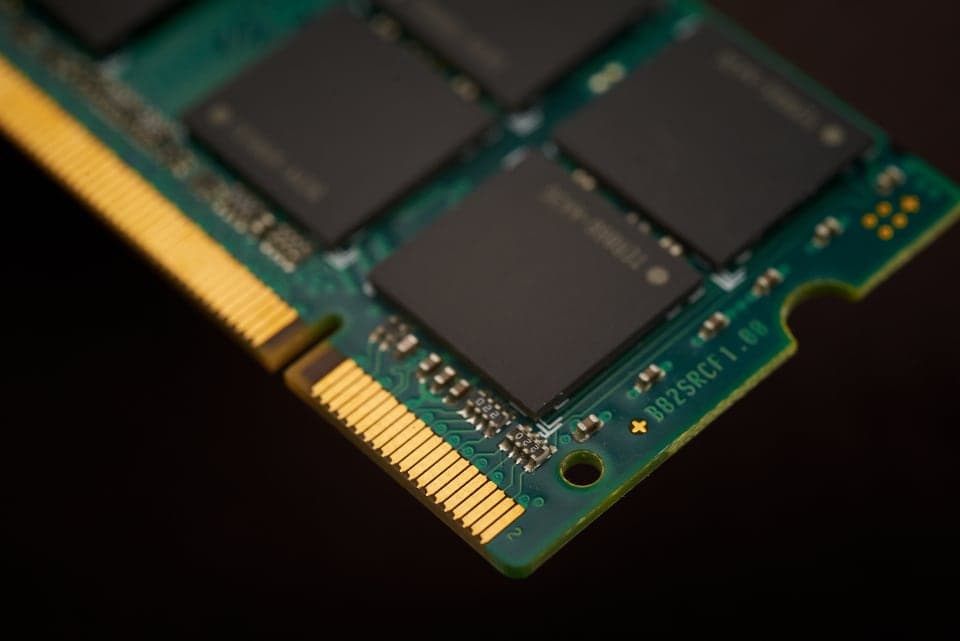
A normal memory module moves 64 data bits per access; an ECC module adds chips and moves 72: 64 data plus 8 check bits. The CPU's memory controller computes a check code on each write and verifies it on each read. The classic scheme is SECDED (single error correction, double error detection): one bad bit is corrected silently, two bad bits are detected. The server then halts rather than carry on with corrupted data.
Server platforms go further. Schemes such as Chipkill or SDDC (single device data correction) spread the check bits so that even a completely failed DRAM chip is compensated. This usually needs x4 modules. Corrected errors are logged by your remote management via iDRAC, iLO or IPMI. If one module's count keeps rising, replace it before an uncorrectable error follows.
UDIMM, RDIMM and LRDIMM: the module types
| Type | Design | Typical DDR4 sizes | Use |
|---|---|---|---|
| ECC UDIMM | unbuffered, chips wired directly to the controller | 8–32 GB | workstations, Xeon E entry servers, microservers |
| RDIMM | register chip buffers address and command signals | 16–64 GB | standard in dual-socket servers |
| LRDIMM | data buffers as well, less load on the channel | 64–256 GB | very large configurations, often with stacked chips (3DS) |
RDIMM vs UDIMM
On a UDIMM every chip sits directly on the CPU's address and command lines, which limits modules per channel and capacity. An RDIMM adds a register chip that re-drives those signals: one extra clock of latency in exchange for more ranks and modules per channel. That's why Xeon Scalable and EPYC servers run RDIMMs or LRDIMMs in practice, while entry servers with Xeon E or an HPE MicroServer Gen10 Plus take ECC UDIMMs.
Why you can't mix the types
The memory controller tunes timing and signal levels to a single module type. Mix them and the server usually won't boot or will flag a configuration error. With DDR4, UDIMMs and RDIMMs even fit the same slot – the notch won't save you.
Ranks and the 1Rx4 or 2Rx8 notation
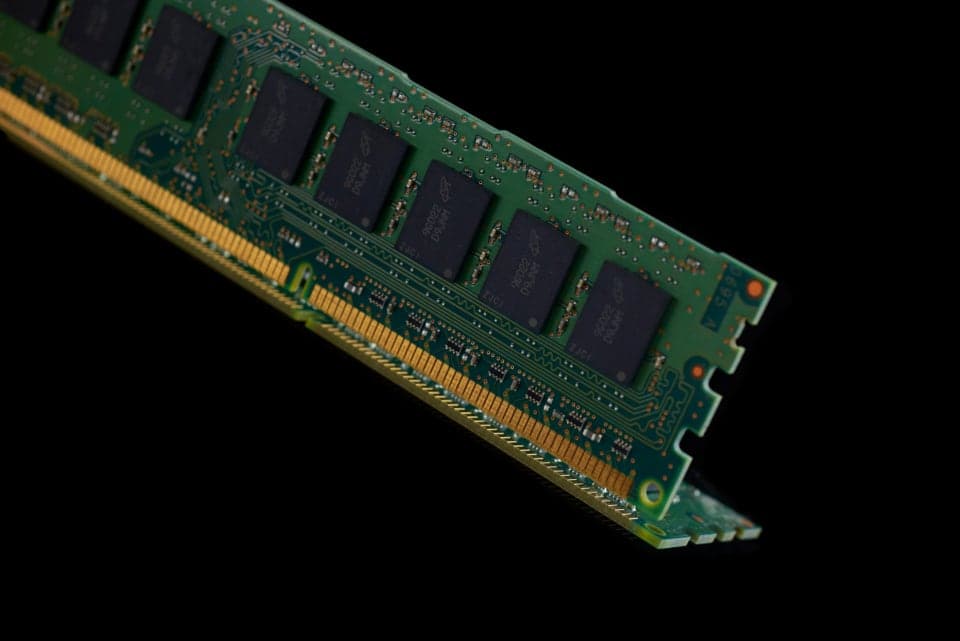
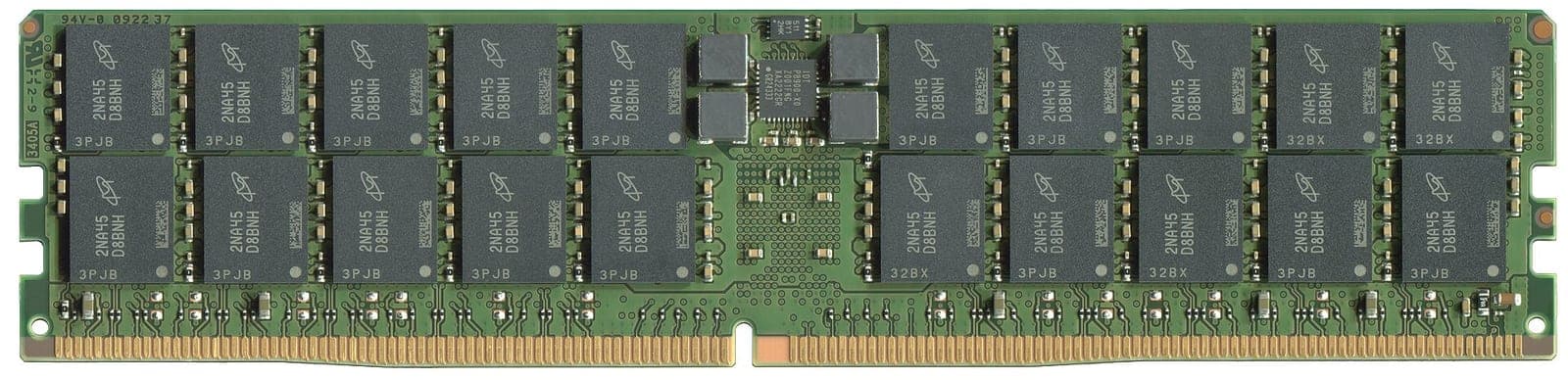
A rank is a group of chips that together serve the 72-bit interface. 2Rx4 on the label means two ranks of 4-bit-wide chips, 1Rx8 one rank of 8-bit chips. An x4 rank needs 18 chips to reach 72 bits, an x8 rank needs 9. A 32 GB 2Rx4 module such as the Samsung 32 GB DDR4-2933 RDIMM therefore carries 36 chips, a 16 GB 2Rx8 module only 18.
- More ranks per channel let the controller interleave accesses; two are usually a little faster than one.
- Too many ranks load the channel electrically. Quad-rank modules or three modules per channel often force a lower speed.
- x4 chips are usually required for full chip-level correction. x8 modules are a little cheaper and use less power.
DDR4 vs DDR5 ECC RAM
DDR4 ECC RAM is used in every server from Xeon E5 v3 to Xeon Scalable gen 3 and in AMD EPYC 7001 to 7003, such as Dell PowerEdge 13G–15G or HPE ProLiant Gen9 to Gen10 Plus. It runs at 1.2 V and up to 3200 MT/s in servers. Modules are in our DDR4 ECC RAM category.
DDR5 ECC RAM needs Xeon Scalable gen 4 or later, or AMD EPYC 9004. Its notch sits elsewhere, so it won't fit a DDR4 slot. Voltage regulation has moved onto the module, the voltage drops to 1.1 V, and each module is split into two 32-bit sub-channels, on an RDIMM usually with 8 check bits each – 80 bits instead of 72. Speeds start at 4800 MT/s; see DDR5 ECC RAM.
A common misunderstanding: every DDR5 chip has internal on-die ECC. It repairs errors in the tiny memory cells, but it doesn't protect the path to the CPU and reports nothing to the memory controller. Real ECC memory (side-band ECC) is recognisable by its extra chips and the ECC or RDIMM marking. A normal DDR5 desktop module is not ECC RAM.
Memory channels: populating server RAM properly
Every memory channel adds its own bandwidth, so one module in every channel beats two modules in half of them. A configuration is balanced when every channel of a CPU holds the same number of identical modules and both CPUs match.
| Platform | Channels per CPU | Balanced per CPU | Example with 2 CPUs |
|---|---|---|---|
| Xeon E5-2600 v3/v4 (Dell R630/R730, HPE DL380 Gen9) | 4 | 4, 8 or 12 modules | 8 × 32 GB = 256 GB |
| Xeon Scalable gen 1/2 (Dell R640/R740, HPE DL380 Gen10) | 6 | 6 or 12 modules | 12 × 32 GB = 384 GB |
| Xeon Scalable gen 3 (Dell R650/R750) | 8 | 8 or 16 modules | 16 × 32 GB = 512 GB |
| AMD EPYC 7002/7003 (HPE DL385 Gen10 Plus) | 8 | 8 or 16 modules | 16 × 64 GB = 1 TB |
A dual-socket Xeon Scalable gen 2 server with 12 × 32 GB (384 GB) uses all six channels per CPU. With 8 × 64 GB (512 GB) it has more memory but only four populated channels per CPU – roughly a third less bandwidth. For databases or dense virtualisation the smaller setup is often faster.
- Follow the slot order: on Dell, fill the slots with white release tabs first, then the black ones. HPE and Lenovo show the order inside the lid or in the manual.
- Empty socket, dead slots: a Dell PowerEdge R740 with a single CPU can only use 12 of its 24 slots.
Speed: the CPU and DIMMs per channel decide
Memory runs at the lowest of three values: the module's rating, the CPU's limit and what the board allows for the number of DIMMs per channel (DPC). On Xeon Scalable gen 2, a Silver 42xx supports DDR4-2400, a Gold 52xx 2666 and a Gold 62xx or Platinum 82xx 2933 MT/s. Xeon E5 v4 tops out at 2400, while Xeon Scalable gen 3 and AMD EPYC 7002/7003 reach 3200 MT/s.
With two modules per channel many platforms drop one speed step; with three (possible on Xeon E5 v3/v4) the drop is almost always significant. Faster modules do no harm: a DDR4-3200 module in a server with a Xeon Silver 4214 simply runs at 2400 MT/s. Mix speeds and every module runs as slowly as the slowest.
Reading part numbers and labels
Almost every server module carries a label in the JEDEC format, such as 32GB 2Rx4 PC4-2933Y-RB2-12:
- 32GB 2Rx4: capacity and rank layout.
- PC4-2933: DDR4 at 2933 MT/s. PC5 means DDR5.
- Y: latency grade; typical pairs are 2400T, 2666V, 2933Y and 3200AA.
- R: module type. R is RDIMM, L is LRDIMM, E is ECC UDIMM and U is non-ECC UDIMM.
On Samsung modules the part number gives the type away too: M393 is a DDR4 RDIMM, M386 a DDR4 LRDIMM, M391 an ECC UDIMM and M321 a DDR5 RDIMM. Dell, HPE and Lenovo use their own part numbers, but what decides compatibility is type, rank layout and speed on the JEDEC label.
Optane PMem: a special case in the memory slot
Intel Optane PMem (128, 256 or 512 GB per module) shares a channel with normal RDIMMs and needs 2nd-gen (PMem 100) or 3rd-gen Xeon Scalable (PMem 200). Memory Mode turns the DRAM into a cache; App Direct uses PMem as persistent memory. Our guide Optane PMem: Memory Mode and App Direct covers modes, CPUs and capacity limits.
Frequently asked questions
Short answers to the questions we hear most often on this topic.
What is ECC RAM?
Memory with extra check bits that let the memory controller correct single-bit errors and detect double-bit errors, so data isn't silently corrupted. Servers and many workstations rely on it.
Can I use ECC RAM in a normal PC?
ECC UDIMMs work on many desktop boards, but they only correct errors if both CPU and motherboard support ECC. RDIMMs and LRDIMMs don't work in desktop PCs.
Can you mix RDIMM and LRDIMM?
No. The memory controller works with one module type only, so a mixed server usually won't boot or reports a memory error. Ideally use identical modules.
Is DDR5 automatically ECC RAM?
No. The on-die ECC in every DDR5 chip only corrects errors inside the chip. Real ECC, checked by the memory controller, needs DDR5 ECC UDIMMs or RDIMMs.
What does 2Rx4 mean on a memory module?
2R means two ranks, x4 means chips with a 4-bit data width. A DDR4 2Rx4 module carries 36 chips. x4 modules enable advanced error correction such as Chipkill or SDDC.
Why does my server RAM run slower than its rating?
Speed depends on the CPU, module type and modules per channel. A Xeon Silver 4214, for instance, supports DDR4-2400 at most, even with DDR4-2933 modules fitted. More modules per channel often lower it further.
Matching products
From our warehouse in Germany, tested and under warranty.
 Used12 mo. warranty
Intel, Intel Optane PMem
Intel Optane PMem 100 128 GB
Part no.NMA1XXD128GPS- 128 GB Optane Persistent Memory 100
- Memory Mode or App Direct
In stock
€169.99
incl. 19% VAT, net €142.85
- Used12 mo. warranty
Samsung, DDR4 ECC RAM
Samsung 8 GB DDR4-2400 ECC RDIMM 1Rx8
Part no.PC4-2400T-RD0-11- 8 GB DDR4-2400 registered ECC
- Samsung 1Rx8, PC4-2400T-RD0-11
In stock
€59.95
incl. 19% VAT, net €50.38
- Used12 mo. warranty
Micron, DDR4 ECC RAM
Micron 8 GB DDR4-2133 ECC RDIMM 2Rx8
Part no.PC4-2133P-RE1-11- 8 GB DDR4-2133 registered ECC
- Micron 2Rx8, PC4-2133P-RE1-11
In stock
€39.95
incl. 19% VAT, net €33.57
- Used12 mo. warranty
Samsung, DDR4 ECC RAM
Samsung 8 GB DDR4-2133 ECC RDIMM 2Rx8
Part no.PC4-2133P-RE0-10- 8 GB DDR4-2133 registered ECC
- Samsung 2Rx8, PC4-2133P-RE0-10
Only 2 left
€39.95
incl. 19% VAT, net €33.57
Keep reading
Intel Optane PMem: Memory Mode and App Direct explained
Terabytes of memory for a fraction of the DRAM cost: how Optane PMem works, which servers support it and where the traps are.
Read more
SAS vs SATA vs NVMe: choosing server SSDs and SAS drives
Interfaces, form factors, endurance classes and backplanes: how to find the right drive for your server.
Read more
RAID 10, RAID 5 or RAID 6? RAID levels compared
From RAID 0 to RAID 60: what each level gives you in capacity, safety and write speed, why large hard drives need RAID 6 and when an HBA is the better fit.
Read more