Dell R730 memory upgrade: RAM for R630 and DL380 Gen9
Which DDR4 modules fit Dell PowerEdge 13G and HPE ProLiant Gen9, how to populate the 24 slots properly and how to check the result in iDRAC or iLO.
- Published
- Updated
- Reading time
- 8 min
- Topic
- Memory & storage
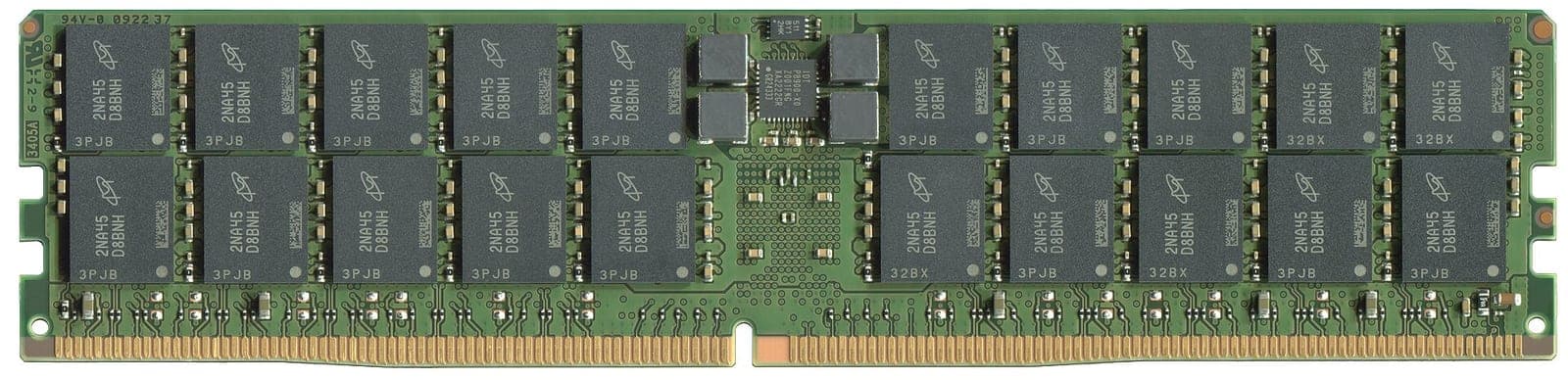
PantheraLeo1359531, CC BY 4.0 · Wikimedia Commons
Contents9 sections
- Which servers does this cover?
- Compatible RAM: DDR4 RDIMM or LRDIMM
- Populating the slots: fill every channel evenly
- Third-party modules: HPE SmartMemory and Dell
- Checking the installed modules
- How much RAM makes sense?
- Step by step: installing the RAM
- Next generation: Dell 14G and HPE Gen10
- Frequently asked questions
Key points
- The Dell R630, R730, R730xd and T630 and the HPE DL360, DL380 and ML350 Gen9 have 24 DIMM slots: 12 per CPU, 4 channels with 3 slots each.
- They take DDR4 RDIMMs or LRDIMMs with ECC, never mixed. The second CPU's slots only work when that CPU is fitted.
- Xeon E5 v3 runs memory at up to 2133 MT/s, E5 v4 at up to 2400 MT/s. A DDR4-2400 module in a v3 system simply runs at 2133.
- You get full bandwidth when all four channels of each CPU are populated alike. With two CPUs, 8 × 8 GB = 64 GB is enough for that.
A refurbished Dell PowerEdge R730 or HPE ProLiant DL380 Gen9 has 24 memory slots. For a server RAM upgrade that boots without warnings and delivers full bandwidth, module type, CPU generation and slot order all matter. The basics of ECC, ranks and module types are covered in ECC RAM explained. The successors R640, R740 and DL380 Gen10 have a guide of their own.
Which servers does this cover?
This covers dual-socket servers with Xeon E5-2600 v3 or v4 and DDR4:
- Dell PowerEdge 13G: R630 (1U), R730 and R730xd (2U) and the T630 tower.
- HPE ProLiant Gen9: DL360 Gen9 (1U), DL380 Gen9 (2U) and the ML350 Gen9 tower.
- Same generation from other vendors: Lenovo System x3550 M5 and x3650 M5, Fujitsu Primergy RX2530 and RX2540 (M1 and M2) and Supermicro X10 dual-socket boards.
Each of the Dell and HPE models listed has 24 DIMM slots: every CPU drives four channels with three slots each. Lenovo, Fujitsu and Supermicro follow the same rules; the slot count is on the data sheet.
Compatible RAM: DDR4 RDIMM or LRDIMM
These servers are designed for DDR4 ECC memory as RDIMMs or LRDIMMs. RDIMMs are the norm; LRDIMMs only pay off with very large modules. Never mix the two: a mixed system usually won't boot or reports a configuration error. Normal desktop memory without ECC and a register won't work.
Speed: the CPU sets the limit
Xeon E5 v3 runs memory at up to 2133 MT/s, Xeon E5 v4 at up to 2400 MT/s. Lower-end models in both families stay below that. Faster modules do no harm: a DDR4-2400 module in an E5 v3 system simply runs at 2133 MT/s. Put 2133 and 2400 modules in the same server and they all run at 2133.
Modules per channel matter too: with one or two you usually reach the CPU's maximum, with three the speed drops. Exact figures are in the Dell server's Technical Guide or HPE's QuickSpecs.
Populating the slots: fill every channel evenly
Bandwidth comes from channels, not modules. A layout is balanced when every channel of a CPU holds the same number of identical modules and both CPUs match – 4, 8 or 12 modules per CPU.
The slot order is fixed. On Dell the slots are named A1, A2 and so on for CPU 1 and B1, B2 and so on for CPU 2, and the slots with white release tabs come first. HPE adds letters that set the order. On many models a label inside the lid shows the layout; otherwise check the manual.
| Configuration | CPUs | Modules per channel | Note |
|---|---|---|---|
| 4 × 8 GB = 32 GB | 1 | 1 | all four channels used, full bandwidth |
| 8 × 8 GB = 64 GB | 1 | 2 | full bandwidth, speed usually unchanged |
| 8 × 8 GB = 64 GB | 2 | 1 | four channels per CPU, full bandwidth |
| 16 × 8 GB = 128 GB | 2 | 2 | balanced, 8 slots still free |
| 24 × 8 GB = 192 GB | 2 | 3 | every slot used, speed drops |
Six modules across two CPUs, for example, are unbalanced: one channel per CPU stays empty and bandwidth falls by a quarter.
Lots of 8 GB modules or a few large ones?
8 GB modules are an inexpensive way to fill every channel: with two CPUs, 8 × 8 GB already occupies all eight. At 24 modules you hit the ceiling, though: speed drops, every module draws power, and more capacity means pulling modules out again. A few large modules cost more up front but leave slots free and keep the speed up. Larger capacities are in our DDR4 ECC RDIMMs category.
Matching items from our range
€49.99
incl. 19% VAT, net €42.01
€39.95
incl. 19% VAT, net €33.57
€39.95
incl. 19% VAT, net €33.57
Third-party modules: HPE SmartMemory and Dell
HPE labels its own modules as SmartMemory. Modules without the HPE label but with the right specification (DDR4, RDIMM, speed) generally work in Gen9 servers. The server may, however, show a notice at start-up or in iLO that the memory isn't HPE memory. If type, speed and layout are correct, that notice is not a memory error.
Dell PowerEdge servers report memory problems in iDRAC and the Lifecycle Log, each with the slot name. HPE records them in the Integrated Management Log (IML) in iLO; see remote management via iDRAC, iLO and IPMI. If corrected errors keep piling up on one module, replace it.
Checking the installed modules
Before buying more, check what's already in the server so that type, size and speed match.
- iDRAC (Dell): the memory overview in the web interface lists every slot with size, type, speed and rank.
- iLO (HPE): under system information, iLO shows the memory layout per CPU and slot.
- Linux and Proxmox: dmidecode -t memory (as root) prints size, type, speed, manufacturer and part number for every slot.
- Windows Server: in PowerShell, Get-CimInstance Win32_PhysicalMemory returns slot, capacity, speed and part number.
If you have a module in your hand, the label tells you more. Our guide to reading server RAM labels explains markings such as 2Rx8 or PC4-2400T-R.
How much RAM makes sense?
Add up all VMs, plus headroom for the host and, with ZFS, the read cache (ARC). Rough guide values:
- Getting started and learning: 32 to 64 GB is enough for a few VMs and containers on a homelab server.
- Several services with ZFS: 64 to 128 GB leaves room for VMs and the ZFS cache.
- Many VMs or databases: 128 GB or more, ideally with two modules per channel rather than three.
Sizing a virtualisation host as a whole is covered in Proxmox instead of VMware.
Step by step: installing the RAM
Check what's fitted and plan
Read out the installed modules in iDRAC, iLO or with dmidecode. Choose the slots and update BIOS and firmware first if needed.Shut down and disconnect power
Shut down the OS cleanly, unplug every power cable and wait until the standby lights go out.Discharge static
Wear a wrist strap or touch bare chassis metal. Hold modules by the edges.Open the chassis and air shroud
Remove the lid and lift out the air shroud over the CPUs.Fit the modules
Open the tabs at both ends of the slot. Line up the module's notch with the key in the slot and press it straight down until both tabs click shut.Boot and check
Refit shroud and lid and power on. The first boot can take longer while the memory is initialised. Then check in iDRAC or iLO that every module shows the expected size and speed.
Next generation: Dell 14G and HPE Gen10
The Dell R640 and R740 and the HPE DL360 and DL380 Gen10 use 1st or 2nd-gen Xeon Scalable, and different rules apply: six channels per CPU with two slots each, balanced layouts of 6 or 12 modules per CPU, and speeds of up to 2933 MT/s depending on the CPU. 2nd gen adds Intel Optane PMem. Population, speed, maximum capacity and PMem for this generation are covered in RAM for the Dell R740 and HPE DL380 Gen10.
Frequently asked questions
Short answers to the questions we hear most often on this topic.
How much RAM fits in a Dell R730?
The R730 has 24 slots, 12 per CPU. With two CPUs all of them are usable, with one only 12. With 8 GB modules that makes up to 192 GB. The ceiling with larger modules is listed in Dell's Technical Guide.
Can I fit DDR4-2400 in a server with Xeon E5 v3?
Yes. Xeon E5 v3 runs memory at up to 2133 MT/s, so a DDR4-2400 RDIMM simply runs at 2133 MT/s. If you later move to E5 v4, it can use its full 2400 MT/s.
Does third-party RAM work in an HPE DL380 Gen9?
Generally yes, as long as it is a DDR4 RDIMM or LRDIMM with the right specification. The server may show a notice at start-up or in iLO that it isn't HPE SmartMemory. That is not a memory error.
Can I mix 8 GB modules with 1Rx8 and 2Rx8?
Both are RDIMMs, and many servers allow mixed ranks under certain rules. The cleanest approach is identical modules in each channel and matching layouts on both CPUs. The exact rules are in the server manual.
Why does my server only show half its RAM?
Usually modules sit in slots of a missing second CPU. Other causes are modules that aren't fully seated, faulty modules or memory mirroring in the BIOS. iDRAC or iLO shows which slot is affected.
Matching products
From our warehouse in Germany, tested and under warranty.
- Used12 mo. warranty
Intel, Intel Optane PMem
Intel Optane PMem 100 128 GB
Part no.NMA1XXD128GPS- 128 GB Optane Persistent Memory 100
- Memory Mode or App Direct
On request
€179.99
incl. 19% VAT, net €151.25
Keep reading
ECC RAM explained: UDIMM, RDIMM, LRDIMM and channels
Error correction, module types, ranks and memory channels: what to know before you buy or upgrade server memory.
Read more
Dell R740 memory & HPE DL380 Gen10 RAM: slots and speed
Six channels per CPU, 24 slots and a speed that depends on the CPU: how to populate Dell PowerEdge 14G and HPE ProLiant Gen10 servers properly.
Read more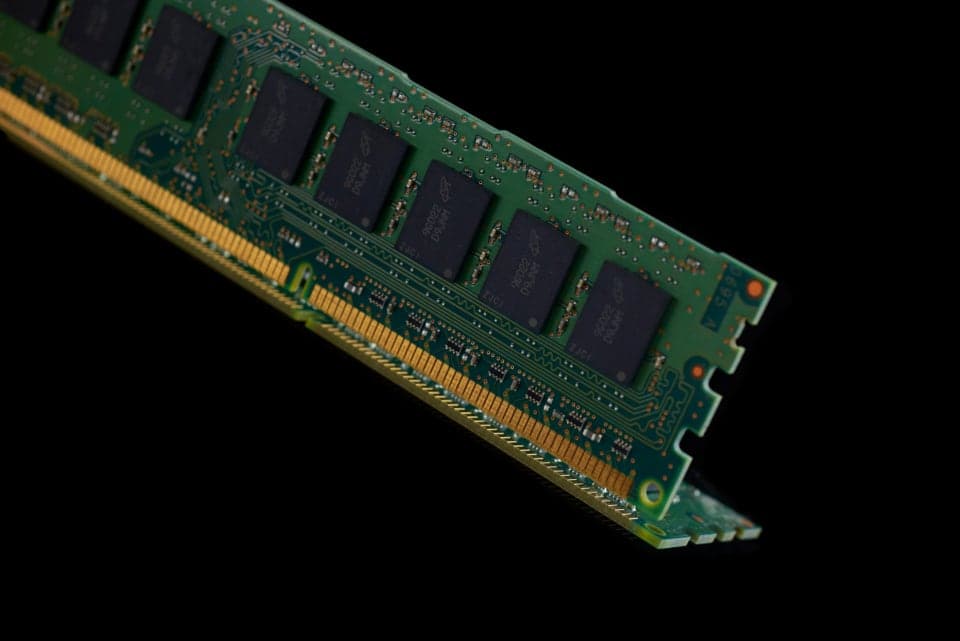
How to read a server RAM label: PC4-2400T, 1Rx8 vs 2Rx8
A line such as 8GB 1Rx8 PC4-2400T-RD0-11 holds everything that matters when you upgrade. Here is how to decode it, one part at a time.
Read more