HBA in IT mode for TrueNAS and ZFS: a controller guide
Why ZFS wants a plain SAS controller without RAID logic, which LSI and Broadcom HBAs have proven themselves, and what to watch for with firmware, cables, cooling and counterfeits.
- Published
- Updated
- Reading time
- 8 min
- Topic
- Memory & storage
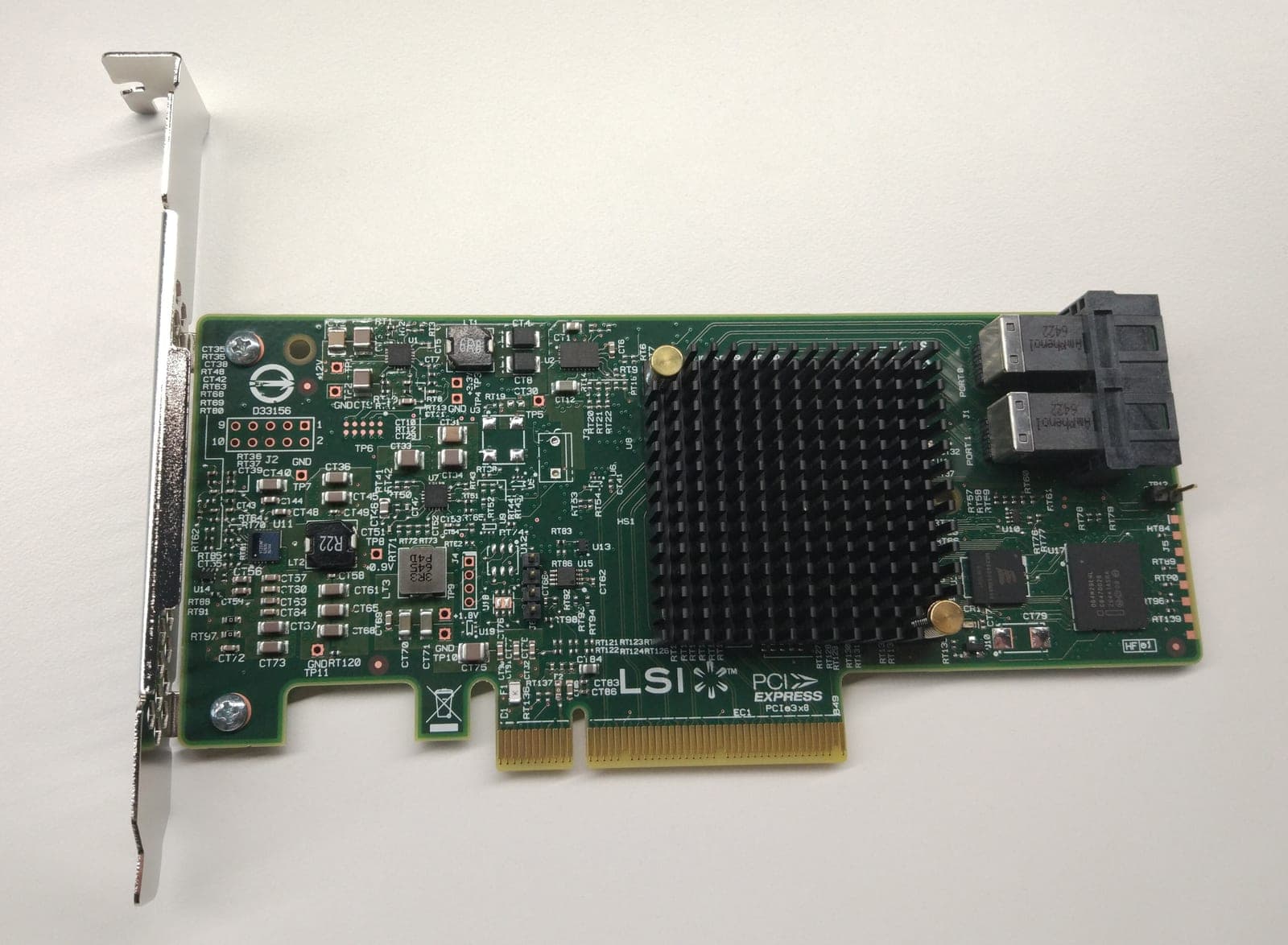
Antonio Kless, CC BY-SA 3.0 · Wikimedia Commons
Contents9 sections
- Why ZFS needs an HBA in IT mode
- RAID controller or HBA: IT mode, IR mode and HBA mode
- Common LSI and Broadcom HBAs
- Crossflashing to IT firmware: concept and risks
- Cables and backplanes: SFF-8087, SFF-8643 and breakouts
- Cooling: HBAs need airflow
- Spotting counterfeit LSI cards
- Which HBA for which server?
- Frequently asked questions
Key points
- ZFS, TrueNAS, Proxmox on ZFS and Unraid need direct access to every disk. An HBA in IT mode provides exactly that; a RAID controller sits in the way.
- Proven choices are LSI/Broadcom cards based on SAS2008, SAS2308, SAS3008 and SAS3408/3416, plus the Dell HBA330.
- The HBA mode on a PERC or Smart Array controller is not a full substitute for a true IT-mode HBA.
- 6G cards use SFF-8087 connectors, 12G cards SFF-8643. All of them need airflow over the heatsink.
- Buy genuine pulled cards from a reputable source. Counterfeit LSI cards are common.
A server running TrueNAS, Proxmox on ZFS or Unraid needs an HBA in IT mode: a SAS controller that passes each disk to the operating system individually and untouched. Here is why, and which cards and cables work well.
Why ZFS needs an HBA in IT mode
ZFS is a file system and volume manager in one. It spreads data across the disks itself, verifies every block with a checksum and repairs errors from the pool's redundancy. For that, ZFS has to see every disk directly.
- Direct disk access: ZFS and the management interface see every disk with its serial number and can tell exactly which one has failed.
- SMART data: TrueNAS and Proxmox warn you early about failing disks. Behind a RAID controller this data often doesn't get through.
- No cache in between: ZFS relies on an acknowledged write being on the disk. A controller cache that holds back or reorders writes undermines that.
- Portability: a pool on an HBA can be imported on any other machine with an HBA; a hardware RAID array is tied to its controller.
That is why the OpenZFS documentation advises against hardware RAID underneath ZFS. Unraid also works with individual disks and its own parity. For how RAIDZ and mirrors compare with classic RAID levels, see our guide RAID 1, 5, 6 or 10.
RAID controller or HBA: IT mode, IR mode and HBA mode
A host bus adapter (HBA) is a SAS controller without RAID logic. On LSI and Broadcom cards the matching firmware is called IT (initiator target): every disk shows up as a device of its own. The older IR firmware (integrated RAID) adds simple arrays such as RAID 0, 1 and 10. For ZFS you want IT, not IR.
HBA in IT mode
SAS controller without RAID logic
- every disk visible directly, SMART included
- no write cache in between
- affordable and vendor-neutral
- redundancy only via software such as ZFS
- unsuitable for plain VMware ESXi
Best for: Ideal for TrueNAS, Proxmox on ZFS, Unraid and Ceph.
Hardware RAID controller
own processor and cache
- protected write cache speeds up RAID 5 and 6
- standard for Windows Server and ESXi
- hides the individual disks from ZFS
- array tied to the controller type
Best for: Ideal for Windows Server, VMware and classic RAID servers.
Dell PERC with HBA mode
Dell's PERC H730 and H740P can pass drives through as non-RAID or, depending on model and firmware, switch to an HBA mode. The disks then appear individually, but the card still runs RAID firmware and the RAID driver, which is not the same as a true HBA with IT firmware. Plenty of people run ZFS this way without trouble; for a new ZFS server we still recommend a proper HBA such as the Dell HBA330.
HPE Smart Array in HBA mode
HPE is similar: Gen9 controllers such as the Smart Array P440ar can be switched to an HBA mode with suitable firmware, and Gen10 controllers such as the P408i can, depending on configuration, pass unconfigured disks straight to the OS. How fully SMART data and errors come through depends on firmware and driver.
Common LSI and Broadcom HBAs
Most used HBAs come from LSI, now Broadcom. What matters is the chip: Dell, HPE, Lenovo and Fujitsu have fitted the same chips under their own names.
| Card | Chip | Interfaces | Internal connectors | Note |
|---|---|---|---|---|
| LSI 9211-8i | SAS2008 | PCIe 2.0 x8, SAS/SATA 6 Gb/s | 2 × SFF-8087 | the classic, often supplied with IR firmware |
| LSI 9207-8i | SAS2308 | PCIe 3.0 x8, SAS/SATA 6 Gb/s | 2 × SFF-8087 | IT firmware from the factory, faster than SAS2008 |
| LSI 9300-8i / -16i | SAS3008 (16i: two chips) | PCIe 3.0 x8, SAS 12 Gb/s | 2 or 4 × SFF-8643 | runs hot, needs airflow |
| Broadcom 9400-8i / -16i | SAS3408 / SAS3416 | PCIe 3.1 x8, SAS 12 Gb/s, NVMe | 2 or 4 × SFF-8643 | tri-mode: SAS, SATA and NVMe |
| Dell HBA330 | SAS3008 | PCIe 3.0 x8, SAS 12 Gb/s | 2 × SFF-8643 (adapter) | HBA from the factory, for PowerEdge 13G and 14G |
For hard drive pools, a 6G card with SAS2008 or SAS2308 is plenty: even fast disks deliver far less than 6 Gb/s per lane. With lots of SSDs, SAS3008 pays off with more total bandwidth. The 9400 series suits NVMe too, given the right cables and an NVMe-capable backplane. More in our guide SAS, SATA or NVMe.
Crossflashing to IT firmware: concept and risks
OEM cards such as the IBM M1015 or the Dell PERC H310 are based on the SAS2008 and ship with RAID firmware. Crossflashing replaces it with the IT firmware of the equivalent LSI model. For SAS2008 and SAS2308, Phase 20 is regarded as the last firmware generation, with version 20.00.07.00 the recommended release.
- Risk of bricking: an interrupted or wrong flash can leave the card unusable.
- Cards differ: instructions for one OEM variant don't automatically apply to another.
- Vendor support ends: after a crossflash, Dell, HPE or Lenovo no longer treat the card as a supported component.
We deliberately don't give instructions here. Our advice: buy a card that already runs IT firmware, such as a 9207-8i, a 9300-8i in IT mode or a Dell HBA330.
Cables and backplanes: SFF-8087, SFF-8643 and breakouts
An internal SAS connector always carries four lanes: four drives directly, or one link to an expander. There are two connector generations:
- SFF-8087 (Mini-SAS): on 6G cards such as the 9211-8i and 9207-8i and on many older backplanes.
- SFF-8643 (Mini-SAS HD): smaller, on 12G cards such as the 9300-8i, 9400-8i and HBA330.
- Hybrid cables: SFF-8643 to SFF-8087 links a 12G card to an older backplane.
- SATA breakouts: one connector fans out to four SATA plugs for four disks without a backplane, typical in towers. SAS disks need SFF-8482 plugs instead, which carry data and power.
A direct-attach backplane needs one cable per four bays; a backplane with a SAS expander makes do with one or two. Dell and HPE cables are often server-specific.
Cooling: HBAs need airflow
HBAs have only a small passive heatsink, designed for rack servers where strong fans push air across every card. The SAS3008 in particular runs hot, and a quiet tower often lacks that airflow.
An overheating HBA rarely dies outright; it causes link resets and disks dropping out of the pool, easily mistaken for a failing disk.
Spotting counterfeit LSI cards
Popular models such as the 9211-8i, 9207-8i and 9300-8i are widely copied, mostly sold direct from Asia. Many fakes work at first, then fail with heat or link errors. Look out for:
- Labels: genuine cards carry stickers with the serial number and SAS address. Missing, blurry or duplicated labels are a warning sign.
- PCB: compare components, printing and heatsink with a known genuine card.
- Price: a supposedly new card far below the going rate is suspicious.
- Origin: cards pulled from servers in European data centres are the safer source.
Which HBA for which server?
- Dell PowerEdge 13G and 14G: Dell HBA330 (mini or adapter), monitored by iDRAC.
- Tower or self-build with hard drives: a 9207-8i with two SATA breakouts for up to eight disks.
- SSD pools and 12G backplanes: a 9300-8i in IT mode, with good airflow.
- NVMe alongside SAS and SATA: a 9400-8i or -16i, with the right cables and backplane.
Planning a virtualisation host on ZFS? See our guide Proxmox instead of VMware. Controllers are listed under RAID controllers and HBAs, drives under used server hard drives. For large used disks, see buying used Seagate Exos. Every component is checked and tested before it ships from Germany.
Frequently asked questions
Short answers to the questions we hear most often on this topic.
What does IT mode mean on an HBA?
IT stands for initiator target. In this mode the SAS controller passes each disk through to the operating system individually, without RAID logic. ZFS, TrueNAS and Unraid see every disk directly, SMART data included.
RAID controller or HBA for TrueNAS?
An HBA in IT mode. ZFS manages redundancy itself and needs direct access to every disk. A hardware RAID controller hides the disks and puts a cache in between.
Is the HBA mode on a Dell PERC H730 good enough for ZFS?
It works in many systems but isn't true IT mode, as the card still runs RAID firmware and driver. For a new ZFS server we recommend a proper HBA such as the Dell HBA330.
Is a 6G HBA enough for hard drives?
Yes. Hard drives only use a fraction of 6 Gb/s per lane, so a 9207-8i or 9211-8i in IT mode is fine for pure HDD pools. 12G cards pay off with lots of SSDs or 12G backplanes.
Keep reading
ECC RAM explained: UDIMM, RDIMM, LRDIMM and channels
Error correction, module types, ranks and memory channels: what to know before you buy or upgrade server memory.
Read more
Dell R730 memory upgrade: RAM for R630 and DL380 Gen9
Which DDR4 modules fit Dell PowerEdge 13G and HPE ProLiant Gen9, how to populate the 24 slots properly and how to check the result in iDRAC or iLO.
Read more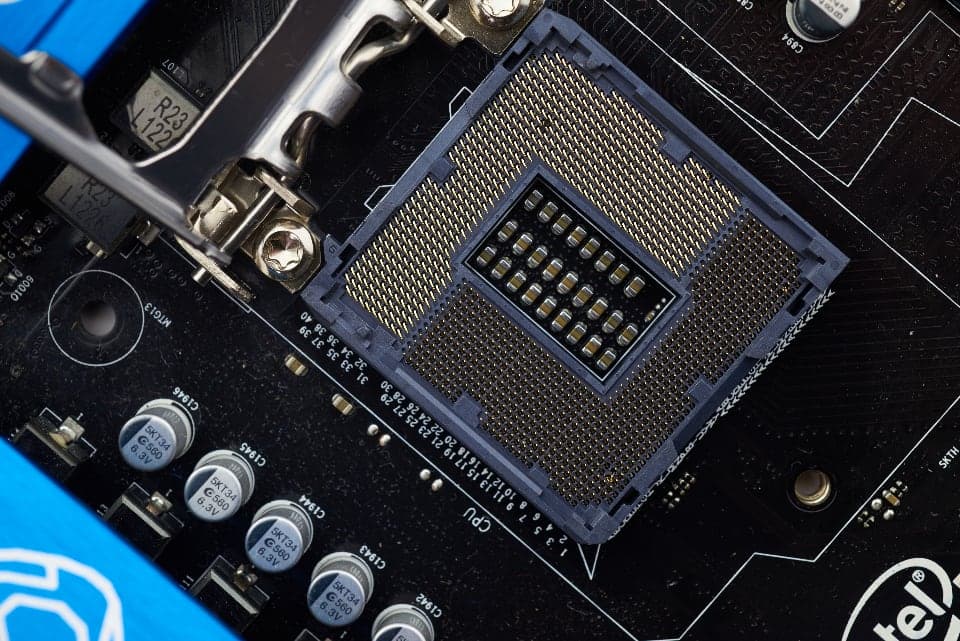
Dell R740 memory & HPE DL380 Gen10 RAM: slots and speed
Six channels per CPU, 24 slots and a speed that depends on the CPU: how to populate Dell PowerEdge 14G and HPE ProLiant Gen10 servers properly.
Read more