U.2 SSD, M.2 22110 or SATA: SSD form factors in servers
Form factors, connectors and installation: which SSD fits which server or tower bay, and which backplane, adapters and cooling you need.
- Published
- Updated
- Reading time
- 8 min
- Topic
- Memory & storage
Leutrim.P, CC BY-SA 4.0 · Wikimedia Commons
Contents9 sections
Key points
- 2.5-inch SSDs come in 7 mm and 15 mm heights. A U.2 SSD looks like SATA but needs an NVMe-capable bay, a tri-mode controller or an adapter.
- Whether a bay takes NVMe depends on the backplane and cabling, not the drive caddy.
- Many enterprise M.2 SSDs are 110 mm long (22110) and won't fit a 2280 slot.
- Power-loss protection (PLP) makes synchronous writes fast and safe – essential for databases and a ZFS SLOG.
A server SSD differs from a desktop SSD mainly in form factor, power-loss protection and endurance. Bought used, it offers a lot for the money if it fits the slot. This guide covers form factors from U.2 and M.2 22110 to E1.S and what installing them in servers and towers takes. For the interfaces themselves, see SAS vs SATA vs NVMe.
2.5-inch: SATA and SAS at 7 and 15 mm
The 2.5-inch (SFF) format is the server standard. Almost all SATA SSDs are 7 mm thick, many SAS SSDs and server hard drives 15 mm. Server bays and caddies are built for 15 mm, so a slim SSD always fits; in towers and desktop cases some 2.5-inch mounts only take 7 or 9.5 mm drives.
SATA SSDs run on any SATA port or SAS controller; SAS SSDs need a SAS controller or HBA. For boot drives and homelab pools, an enterprise SATA SSD is simplest: it runs anywhere.
U.2 and U.3: NVMe in a 2.5-inch case
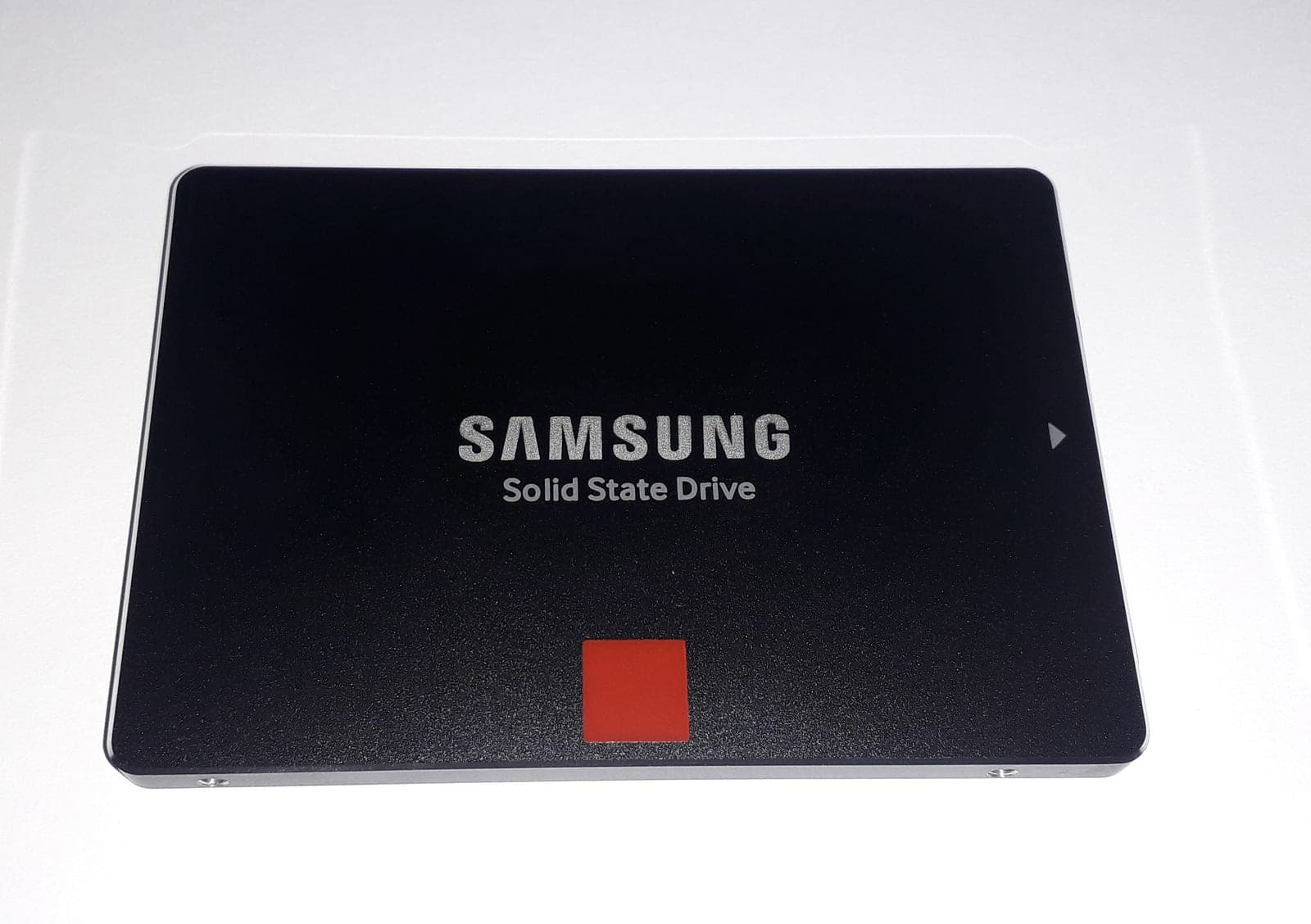
A U.2 SSD looks like a 2.5-inch SATA SSD, usually 7 or 15 mm high, but its SFF-8639 connector carries four PCIe lanes. It speaks NVMe, far faster than SATA or SAS, and won't plug into a SATA port.
In a server, a U.2 SSD needs a bay with an NVMe-capable backplane (cabled to the motherboard or a switch card) or a tri-mode controller. Such bays allow hot-swapping if backplane, BIOS and OS support it.
U.3 uses the same connector with a different pin assignment; a U.3 bay on a tri-mode controller accepts SAS, SATA and NVMe. U.3 SSDs such as the Micron 7450 generally work in U.2 bays, but U.2 SSDs don't always work in U.3-only bays.
Backplane variants in servers
Servers often offer several backplanes. A SAS/SATA backplane has no PCIe lanes, so U.2 SSDs won't run there. A mixed backplane carries PCIe to only some bays, say four or eight. A universal or tri-mode backplane takes SAS, SATA or NVMe in each bay, given a tri-mode controller or PCIe cables behind it. The configuration list or backplane part number shows which is fitted.
A 2.5-inch caddy fits all these bays; whether the SSD is detected depends on the wiring behind. Retrofitting NVMe usually means a different backplane, new cables and possibly a PCIe switch or extender card; ask the vendor about an upgrade kit.
U.2 in a tower or desktop
Without a backplane there are three options: a PCIe adapter card holding the drive; a card or motherboard with an SFF-8643, OCuLink or SlimSAS port plus a cable that also supplies power; or an M.2-to-U.2 adapter with a cable. Multi-drive cards without a switch chip need a slot the BIOS can split (bifurcation, e.g. x16 into 4 × x4).
M.2 2280 and 22110: mind the length
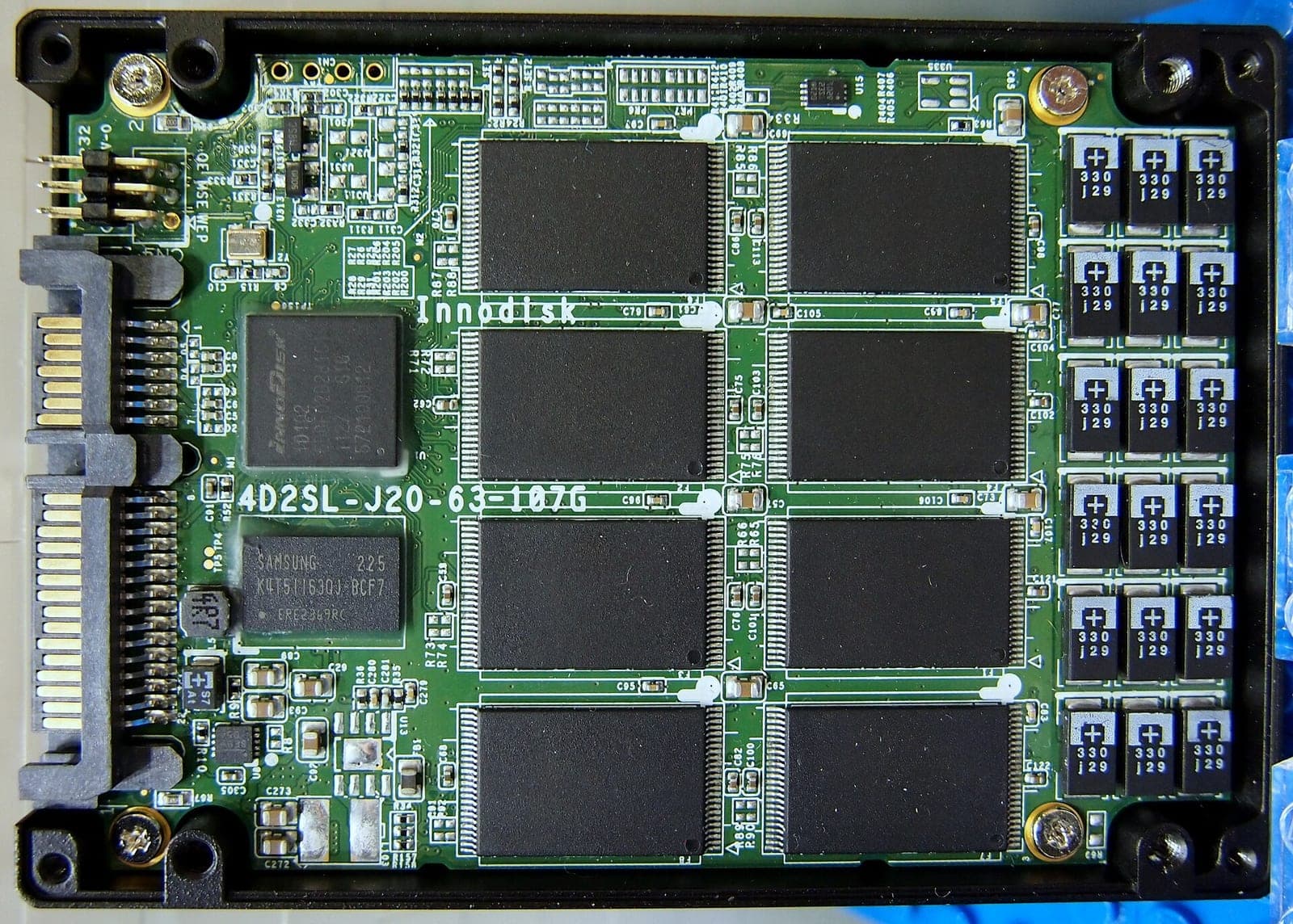
M.2 SSDs are 22 mm wide; the number that follows is the length. Desktop SSDs are almost always 2280 (80 mm). Many enterprise models, such as the Samsung PM983 or PM9A3, are 22110 in M.2 form – 110 mm long. The extra length leaves room for power-loss capacitors and more flash. Micron's 7300 and 7450 come in both lengths depending on capacity; the Optane P1600X is 2280.
A 22110 drive needs a mounting point at 110 mm, common on server boards, rare on desktop ones; otherwise use a PCIe adapter card that takes 22110. Also check whether the slot supports NVMe or only SATA: NVMe SSDs have an M key, M.2 SATA SSDs usually B+M.
Boot modules fix the protocol too: Dell's BOSS-S1 and BOSS-S2 take M.2 SATA SSDs, the BOSS-N1 of newer PowerEdge generations takes NVMe, as does HPE's NS204i. An NVMe SSD in a SATA module isn't detected, even though it fits.
E1.S, E1.L and E3.S: the EDSFF formats
Newer server generations are moving to EDSFF (Enterprise and Datacenter Standard Form Factor): edge-connector drives built for NVMe, hot-plug and good airflow.
- E1.S: a slim, short sled for dense 1U servers, available in several thicknesses depending on the heatsink.
- E1.L: a long sled for high capacity per rack unit in storage servers; the Intel P4510 also came in this format.
- E3.S: roughly the size of a 2.5-inch drive and intended as its successor on many platforms.
EDSFF drives don't fit U.2 bays, adapters are rare and used drives still uncommon. For recent servers, U.2 and 2.5-inch SATA/SAS remain what matters.
Cooling and power draw
A SATA SSD needs a few watts, while U.2 SSDs often draw 10 to 20 W under sustained load and rely on server airflow; that's also why empty bays need blanks.
The NVMe health log (nvme smart-log) shows the temperature; above a vendor-defined threshold the SSD throttles, which a tower without directed airflow quickly reaches. A finned 15 mm drive copes better than a slim 7 mm one, but both need moving air.
What makes an enterprise SSD
An SSD with power-loss protection (PLP) carries capacitors that flush the write buffer to flash if the power fails, so it may confirm a write as soon as it reaches the buffer. That matters for synchronous writes from databases, VMs over NFS or iSCSI and the ZFS intent log. Without PLP the SSD must commit to flash every time and slows down dramatically, so a ZFS SLOG should always have PLP. For ZFS cabling, see HBA in IT mode for TrueNAS and ZFS.
Enterprise SSDs come as Read Intensive or Mixed Use, the latter with more write headroom. They keep latency steady under sustained load, whereas desktop SSDs slow down once their write cache is full. In a RAID array the weakest drive holds back the others – see RAID 1, 5, 6 or 10.
Sector size, OEM firmware and wear
- Sector size: drives may be formatted with 512-byte or 4,096-byte (4Kn) sectors. Older controllers and legacy BIOS boot don't always cope with 4Kn. NVMe SSDs can be switched with nvme format if they offer several formats. SAS drives from storage arrays sometimes have 520-byte sectors and need reformatting first.
- OEM firmware: SSDs with Dell, HPE or Lenovo labels carry their own firmware and part numbers, with updates from the server vendor. They run without warnings in matching servers and usually in others too.
On a used SSD, wear and data written matter more than power-on hours. TBW, DWPD, wear level and SMART on SATA, SAS and NVMe are covered in our guide checking a refurbished SSD.
Proven models for servers and homelabs
| Model | Interface | Form factors | Typical use |
|---|---|---|---|
| Samsung PM883 / PM893 | SATA | 2.5-inch, 7 mm | boot, homelab, small VM hosts |
| Intel S4510 | SATA | 2.5-inch, M.2 | boot, read-heavy data |
| Micron 5300 | SATA | 2.5-inch, M.2 | boot; MAX version also mixed use |
| Samsung PM983 / PM9A3 | NVMe (PCIe 3.0 / 4.0) | U.2, M.2 22110 | VMs, databases, fast ZFS pools |
| Intel P4510 | NVMe (PCIe 3.1) | U.2 15 mm, E1.L | large, read-heavy pools |
| Micron 7300 / 7450 | NVMe (PCIe 3.0 / 4.0) | U.2 or U.3, M.2 | VMs, databases |
| Intel Optane P4800X / P1600X / 905P | NVMe (PCIe 3.0) | U.2, M.2, add-in card | SLOG, boot, extremely write-heavy work |
Optane SSDs offer very low latency and exceptional endurance – ideal as SLOG or boot drives, now mostly found used since Intel discontinued them. Don't confuse them with Optane PMem memory modules: see Optane PMem: Memory Mode and App Direct.
Our used server SSDs cover all these form factors, for example the Samsung PM9A3 1.92 TB in U.2 format. Our SSDs are checked and tested before they ship from Germany.
Frequently asked questions
Short answers to the questions we hear most often on this topic.
What is a U.2 SSD?
An NVMe SSD in a 2.5-inch case whose SFF-8639 connector carries four PCIe lanes. It needs an NVMe-capable bay, a tri-mode controller or an adapter; a SATA port won't do.
Does a U.2 SSD fit any 2.5-inch server bay?
Mechanically usually yes, but it's only detected if the backplane carries PCIe lanes to that bay or a tri-mode controller sits behind it. On a pure SAS/SATA backplane it stays invisible.
Will an M.2 22110 SSD fit a 2280 slot?
No. The drive is 30 mm longer and needs a mounting point at 110 mm. Otherwise, use a PCIe adapter card that takes 22110 drives.
Why does a ZFS SLOG need an SSD with PLP?
The SLOG takes synchronous writes, which only count as safe once the SSD confirms them. With PLP it can confirm at once; without it, every write must reach flash first, which is very slow.
Can I use a U.2 SSD in a desktop PC?
Yes, via a PCIe adapter card or an M.2-to-U.2 adapter with a cable. Keep air flowing over it; U.2 SSDs run hot without server fans.
Keep reading
ECC RAM explained: UDIMM, RDIMM, LRDIMM and channels
Error correction, module types, ranks and memory channels: what to know before you buy or upgrade server memory.
Read more
Dell R730 memory upgrade: RAM for R630 and DL380 Gen9
Which DDR4 modules fit Dell PowerEdge 13G and HPE ProLiant Gen9, how to populate the 24 slots properly and how to check the result in iDRAC or iLO.
Read more
Dell R740 memory & HPE DL380 Gen10 RAM: slots and speed
Six channels per CPU, 24 slots and a speed that depends on the CPU: how to populate Dell PowerEdge 14G and HPE ProLiant Gen10 servers properly.
Read more